Cubii reviews online are all over the place — some call it life-changing, others call it overpriced. After going through all four current Cubii models, here’s the honest breakdown: the Cubii JR1 is the best overall pick with the strongest track record, the Cubii Move is the most affordable way to try the category, the Cubii Go wins on portability, and the Cubii Total Body is the only one that adds an upper-body workout. I’m AnilKK, an INFS-certified nutrition and fitness coach who has personally tested a wide range of gym equipment, and desk-based movement tools like Cubii are ones I often recommend to clients stuck at a desk all day.
Quick Answer
For most people, the Cubii JR1 is the safest choice — it’s Cubii’s original model, has the largest review base by far, and offers 8 resistance levels. If budget is tight, the Cubii Move gets you into the category for less with 6 resistance levels. If you move your machine between rooms often, the Cubii Go‘s built-in wheels and retractable handle make that far easier. And if you want your arms involved too, the Cubii Total Body is the only model with a pulley system.
Table of Contents
Why an Under-Desk Elliptical Like Cubii Is Worth Considering
Most desk jobs mean sitting still for hours at a stretch, and research keeps pointing to the same conclusion: even regular exercise outside of work doesn’t fully offset that. A CDC-published review found that frequent breaks in sedentary time were correlated with better metabolic profiles, including waist circumference, BMI, and blood sugar levels, compared to sitting for long uninterrupted stretches. A device that lets you move your legs continuously while you work is a practical way to build in exactly that kind of break, without leaving your desk.
That’s the actual case for Cubii: not that it replaces a real workout, but that it fills the gap during the hours you’d otherwise be completely still.
Quick Comparison: All 4 Current Cubii Models
| Model | Resistance Levels | Standout Feature | Portability | Best For |
|---|---|---|---|---|
| Cubii JR1 | 8 | Largest review base, proven track record | Built-in handle | Best overall |
| Cubii Move | 6 | Most accessible entry point into the category | Compact | Best budget option |
| Cubii Go | 10 | Retractable handle, built-in wheels | Most portable | Best for moving between rooms |
| Cubii Total Body | 12 | Upper-body pulley system | Compact | Best for a full-body workout |
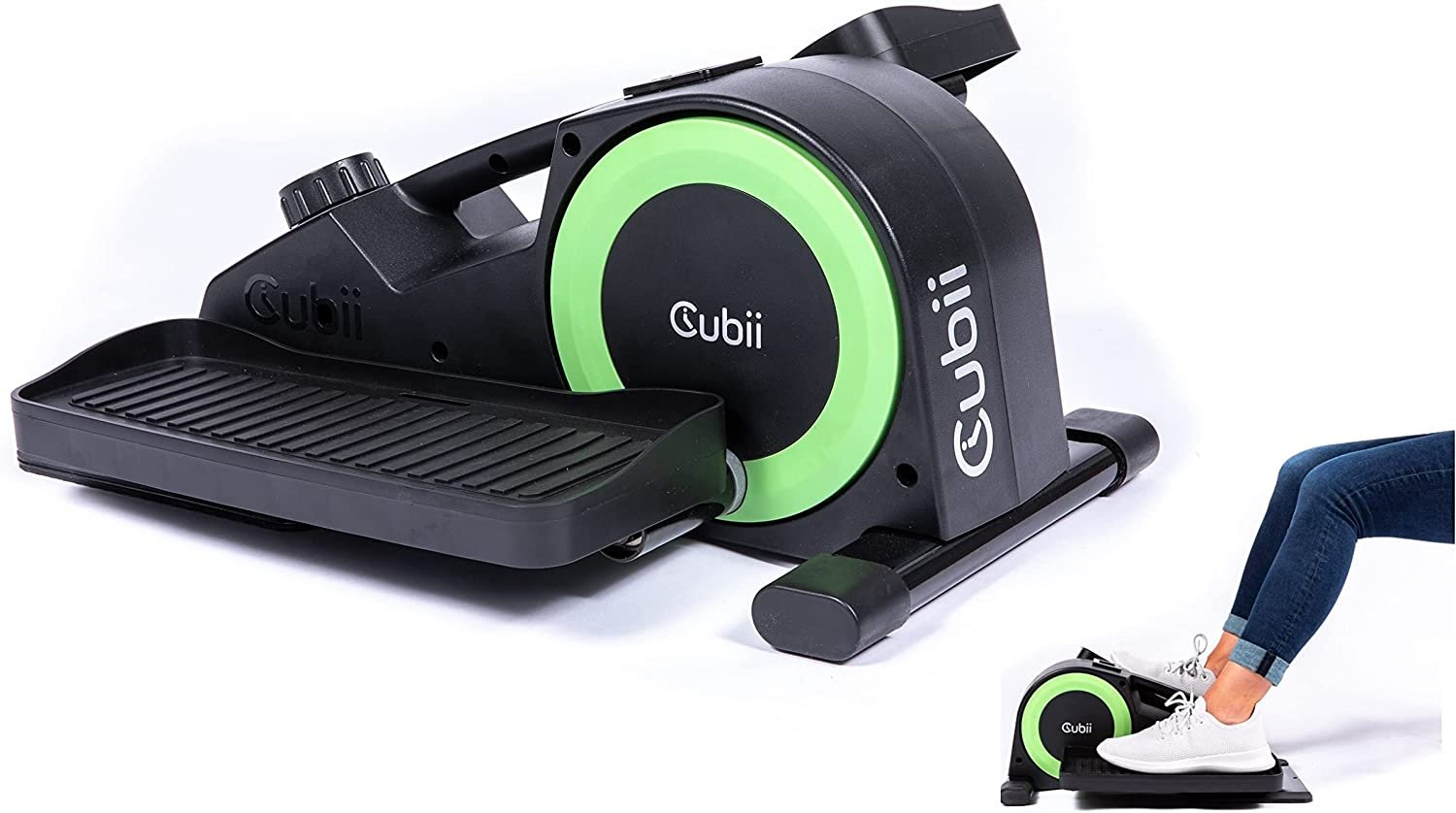
1. Cubii JR1 — Best Overall
1-year manufacturer warranty | 8 resistance levels | Original Cubii model
- 8 levels of magnetic resistance
- Built-in LCD monitor tracking calories, strides, distance, and time
- Built-in carrying handle
- Syncs with the Cubii app (manual data entry, no Bluetooth on this model)
- 1-year manufacturer warranty
The JR1 is Cubii’s original model, and it’s still the one with by far the largest track record — nearly 17,000 Amazon reviews at a 4.6-star average. That kind of volume matters: it means far fewer surprises about long-term durability than newer, less-reviewed models.
What Makes It Different
Cubii’s own current marketing actually pushes Move, Go, and Total Body more heavily than JR1 — but the sales numbers and review count tell a different story. JR1 remains the brand’s most bought and most reviewed product by a wide margin, which is exactly the kind of signal worth trusting over which model a company chooses to feature.
At 8 resistance levels, it sits comfortably in the middle of this lineup — more range than Move, less than Go or Total Body, which makes it a safe default if you’re not sure yet how much resistance you’ll actually want long-term. If you’re deciding between an elliptical-style machine and something else entirely for your desk, our under-desk elliptical vs. treadmill comparison covers how the two categories actually differ day to day.
It doesn’t have Bluetooth, so tracking means manually entering your stats into the Cubii app rather than automatic syncing. If that’s a dealbreaker, Cubii’s JR2+ variant adds Bluetooth, though it wasn’t confirmed in stock at the time of writing — worth checking directly if that feature matters to you.
Best for: Anyone who wants the most proven, most reviewed option and doesn’t need Bluetooth syncing.
| Pros | Cons |
|---|---|
| By far the largest review base of any Cubii model, with nearly 17,000 ratings at 4.6 stars. | No Bluetooth — stats have to be entered into the app manually rather than syncing automatically. |
| 8 resistance levels cover a wide range from light movement to a real light-cardio effort. | At roughly 27 lbs, it’s heavier than the Go, making frequent room-to-room moves less convenient. |
| Whisper-quiet operation makes it usable during calls without anyone noticing. | |
| Built-in handle makes it reasonably easy to move, even without wheels. |
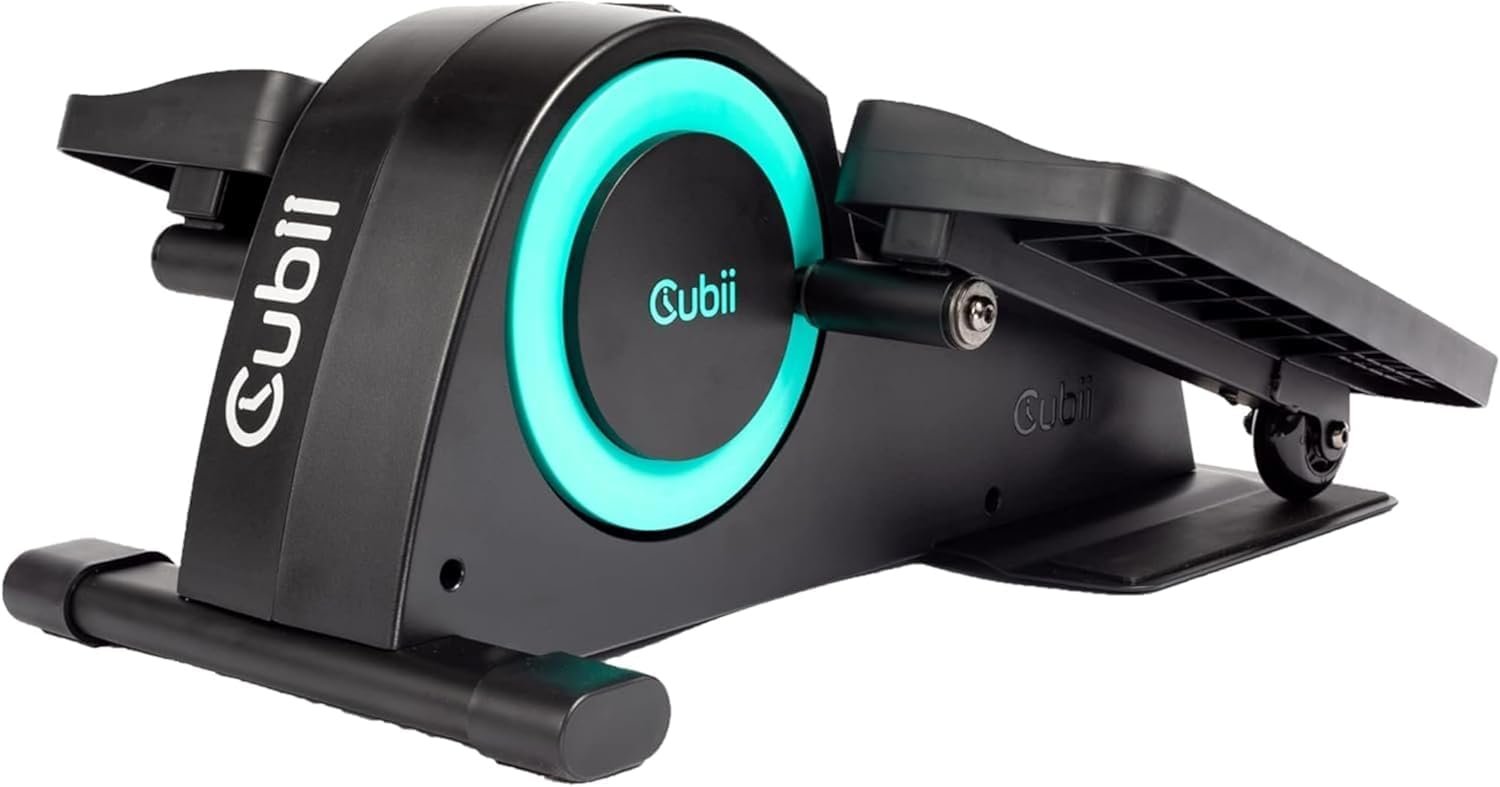
2. Cubii Move — Best Budget Option
1-year manufacturer warranty | 6 resistance levels | Amazon’s Choice
- 6 levels of resistance
- Compact, lightweight build positioned as Cubii’s starter model
- Amazon’s Choice badge
- Syncs with the Cubii app
- 1-year manufacturer warranty
Cubii itself describes the Move as the “starter compact elliptical” and prices it as the most accessible entry point into the lineup. If you’re not sure you’ll stick with a desk elliptical long-term, this is the lowest-commitment way to find out.
What Makes It Different
Six resistance levels is the narrowest range in this lineup, which is the honest tradeoff for the lower price. For light, all-day background movement while you work, that’s plenty. If you’re specifically looking for a higher-intensity session, JR1, Go, or Total Body all give you more headroom to increase resistance as you build tolerance.
It currently carries Amazon’s Choice, and at over 1,100 reviews with a 4.3-star average, it has a solid enough track record for a newer, more budget-focused release — just not the volume of history JR1 has built up.
This is also a genuinely good pick if you’re buying for an older family member just getting started with movement — our guide on best ellipticals for seniors covers what else matters for that specific use case, including stride length and step-through access.
Best for: First-time buyers who want the lowest-cost way to try an under-desk elliptical.
| Pros | Cons |
|---|---|
| The most affordable current Cubii model, lowering the barrier to trying the category. | Only 6 resistance levels — the narrowest range in this lineup. |
| Amazon’s Choice badge with a solid 4.3-star average across 1,100+ reviews. | Smaller review base than JR1, so less long-term feedback to draw on. |
| Compact and lightweight, easy to tuck away when not in use. | |
| Simple dial-based resistance adjustment with no learning curve. |
3. Cubii Go — Best for Portability
1-year manufacturer warranty | 10 resistance levels | Built-in wheels + retractable handle
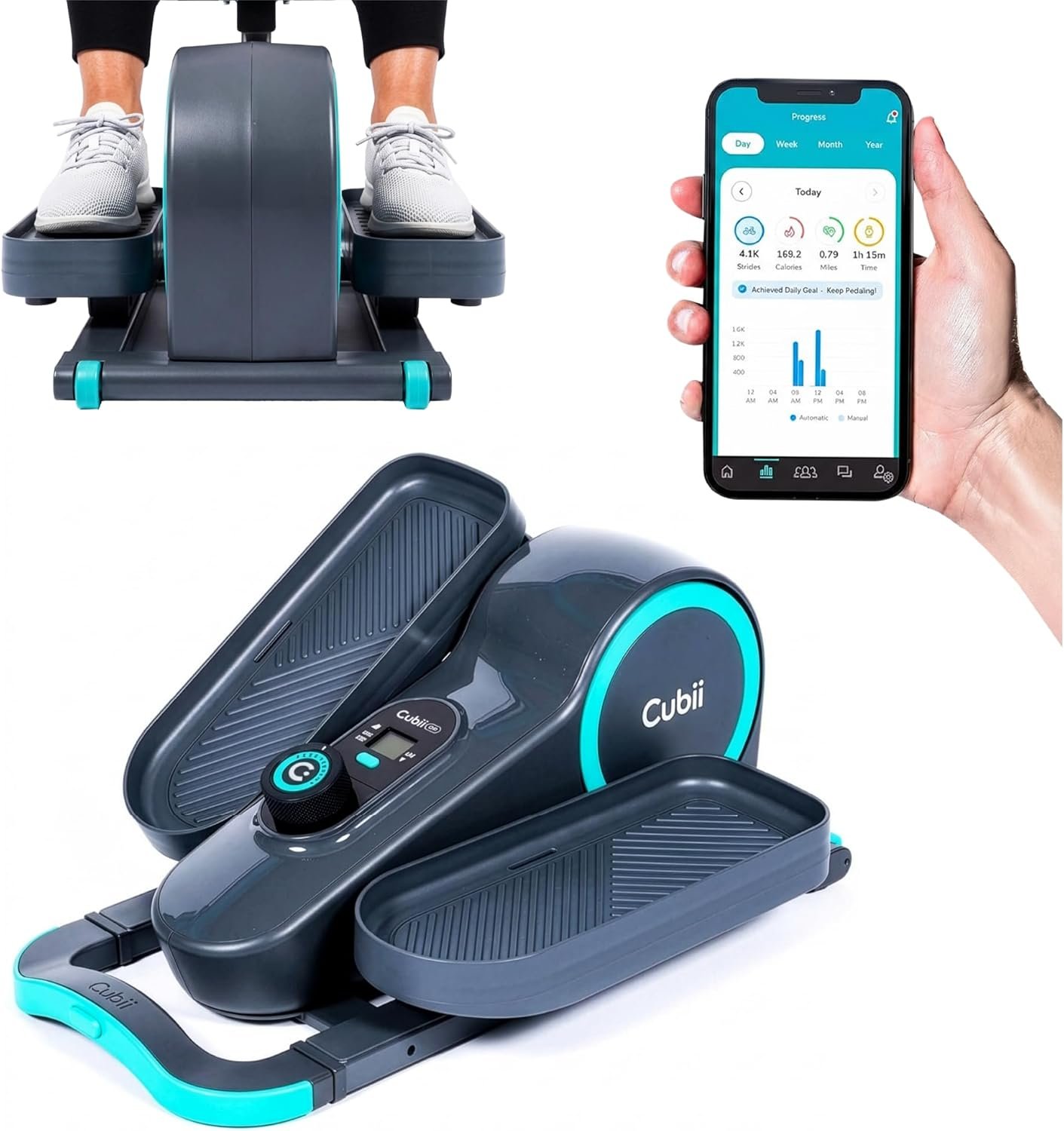
- 10 levels of resistance
- Built-in wheels and a retractable handle for easy transport
- LCD with app tracking
- Designed specifically for moving between rooms
- 1-year manufacturer warranty
Cubii built the Go around one specific problem: most under-desk ellipticals are annoying to move once they’re not under your desk anymore. The wheels and retractable handle solve that directly, which matters more than it sounds if you’re rolling it from your home office to the living room in the evening.
What Makes It Different
At 10 resistance levels, the Go also gives you more room to increase intensity over time than JR1 or Move, without stepping all the way up to Total Body’s upper-body add-on. That combination — genuinely portable and reasonably high resistance range — is what sets it apart rather than either feature alone.
It’s priced above JR1 and Move, which is the fair tradeoff for the added mobility hardware. If you’re only ever going to use it in one fixed spot under one desk, that portability premium isn’t buying you much — JR1 will do the same job for less.
Best for: Anyone who plans to move their elliptical between a desk, the couch, and other rooms regularly.
| Pros | Cons |
|---|---|
| Built-in wheels and retractable handle make room-to-room moves genuinely easy. | Costs more than JR1 or Move, mostly for portability you may not need if it stays under one desk. |
| 10 resistance levels give more headroom than JR1 or Move. | Smaller review base than JR1 (under 500 ratings at time of writing). |
| LCD display with app tracking for progress monitoring. | |
| Compact enough to store upright when not in use. |
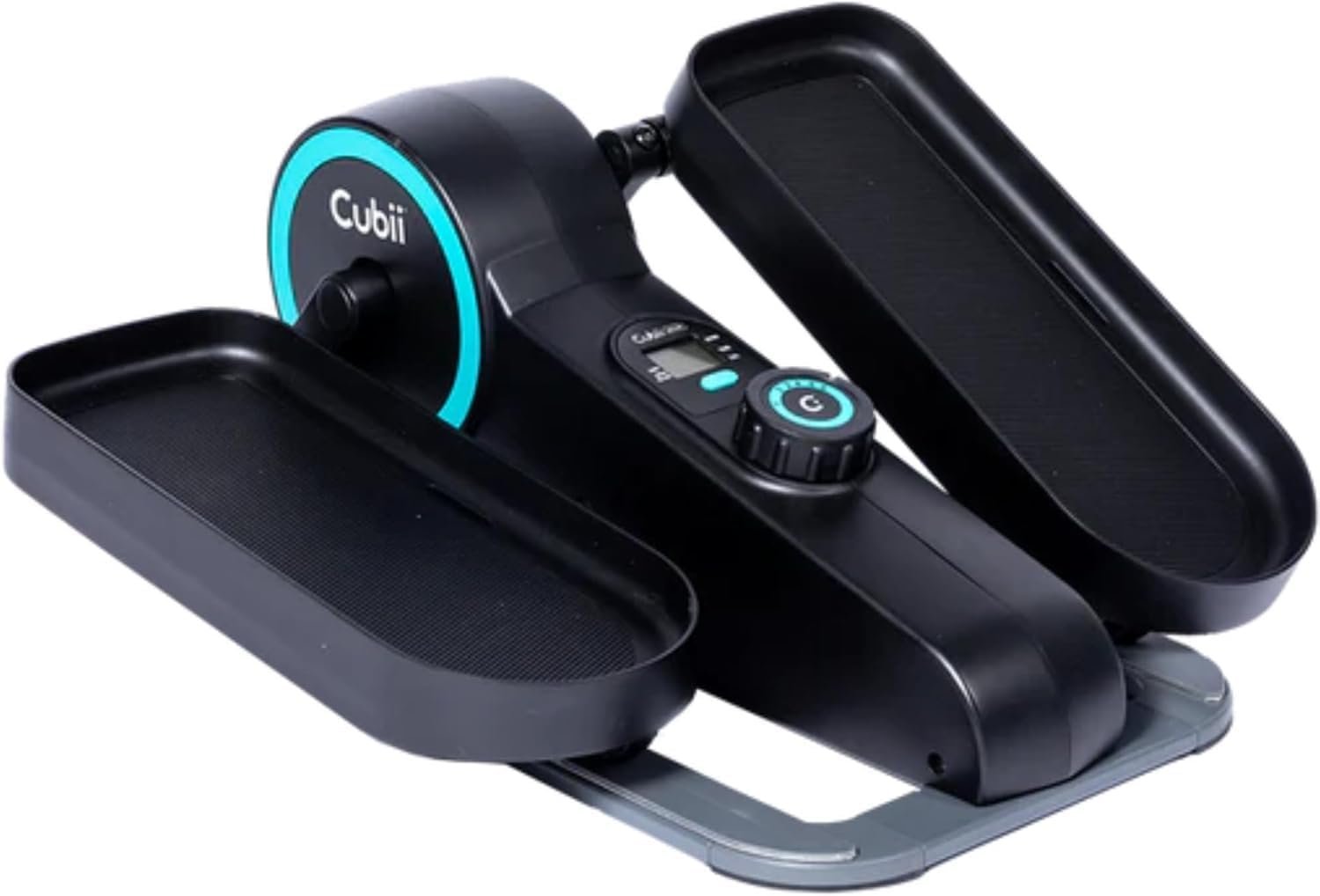
4. Cubii Total Body — Best for a Full-Body Workout
1-year manufacturer warranty | 12 resistance levels | Upper-body pulley system
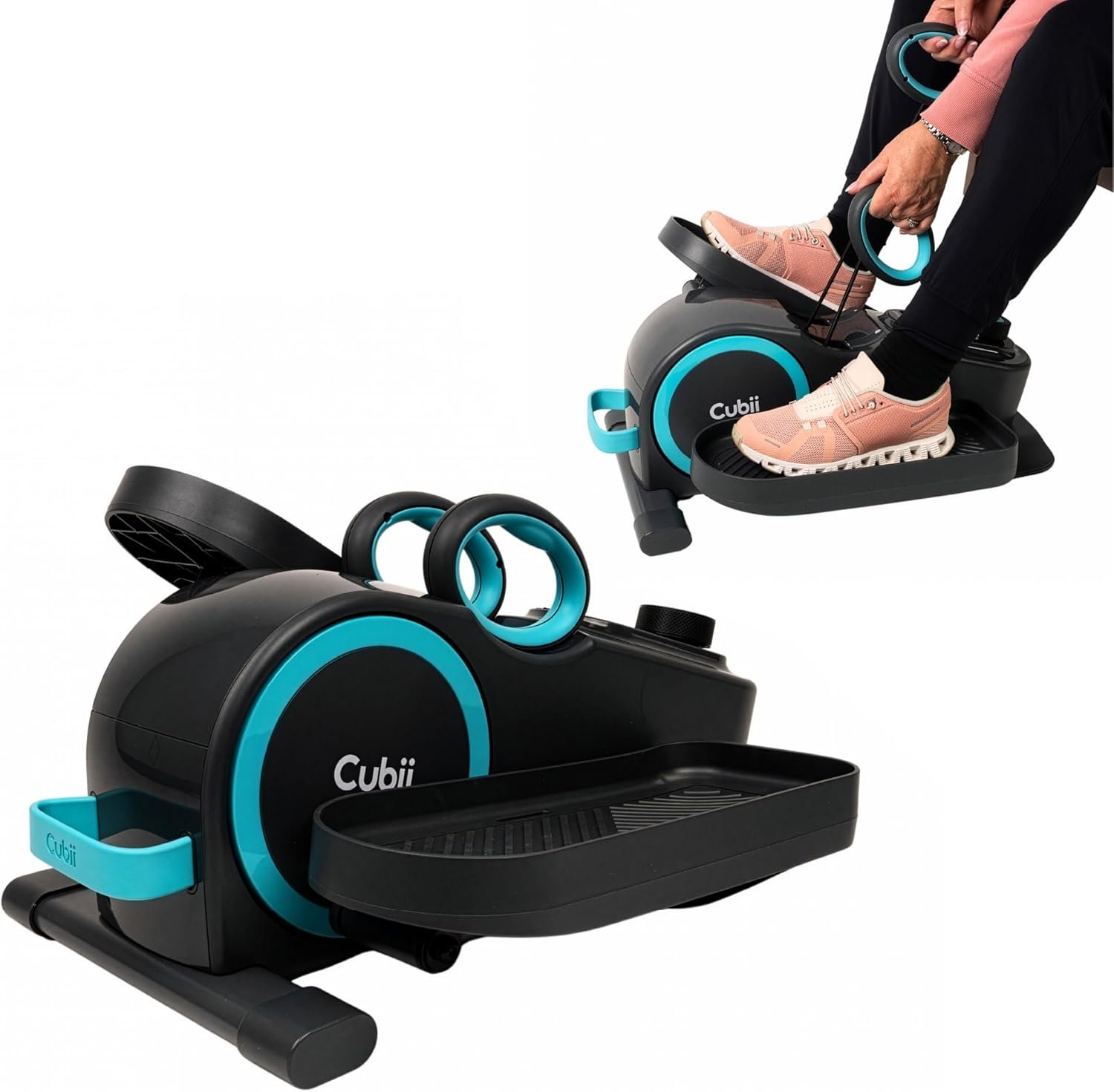
- 12 levels of resistance — the widest range in this lineup
- Built-in upper-body pulley system for arms + legs in one session
- LCD tracking time, distance, and resistance level
- Compact, seated 2-in-1 design
- 1-year manufacturer warranty
Every other model in this lineup is legs-only. The Total Body is the one exception, adding a rowing-style pulley system so you can work your arms while your legs are pedaling. That’s a genuinely different use case, not just an upgraded version of the others.
What Makes It Different
Twelve resistance levels also make this the widest range of any Cubii model, which matters if you’re planning to use it consistently over a long period and want room to keep increasing intensity as you build strength. Combined with the pulley system, it’s the closest thing in this lineup to an actual structured workout rather than passive background movement.
It’s also the most expensive model here, which is the fair tradeoff for the added hardware. If your only goal is light leg movement during the workday and you don’t care about upper-body work, you’re paying for a feature you won’t use — JR1 or Move cover that use case more efficiently.
Best for: Anyone who wants to combine light lower-body movement with upper-body engagement in the same session.
| Pros | Cons |
|---|---|
| Only model in this lineup with an upper-body pulley system. | The most expensive model in this lineup by a meaningful margin. |
| Widest resistance range (12 levels) for long-term progression. | The pulley handles can get in the way of leg position for some users, depending on desk height and seating. |
| Genuinely differentiated use case rather than just a pricier version of the others. | |
| Compact enough to still fit under most desks despite the added hardware. |
How to Choose the Right Cubii for You
1. How much resistance range you actually want. Six levels (Move) is enough for light background movement; 12 (Total Body) gives you room to keep increasing intensity for years. Buying more range than you’ll use just adds cost without benefit. The value here isn’t about intensity alone — research reviewed by the National Institutes of Health points to interrupting prolonged sitting with light activity roughly every 30 minutes as an evidence-based strategy for metabolic health, so consistent light use often matters more than maxing out resistance.
2. Whether it needs to move between rooms. If it’s staying permanently under one desk, portability hardware like Go’s wheels is a cost you don’t need. If you’ll use it in multiple spots through the day, that hardware earns its price.
3. Upper body involvement. Every model except Total Body is legs-only. Decide upfront whether you want an arm component, since that’s the one feature that isn’t an upgrade path — it’s a structural difference between models.
4. Desk clearance. Measure the gap between the underside of your desk and the floor before buying any model. Most Cubii units need roughly 6 inches of knee clearance above the pedals, and cramped clearance is one of the most common buyer regrets in this category.
5. Review volume, not just star rating. A 4.6-star rating across 17,000 reviews (JR1) tells you far more about long-term reliability than the same rating across 450 reviews (Go). Newer models can still be good, but they haven’t had time to reveal long-term durability issues yet. If you’re still weighing Cubii against other brands entirely, our under-desk elliptical comparison covers how it stacks up against the alternatives.
Common Mistakes to Avoid With an Under-Desk Elliptical
The most common mistake is expecting it to replace real exercise entirely. A Cubii is genuinely useful for interrupting long sitting stretches, but it isn’t a substitute for structured cardio or strength training — it’s a complement to it, not a replacement.
The second is starting at too high a resistance level. Every model in this lineup lets you dial resistance up gradually — starting low and increasing over the first few weeks avoids the leg fatigue that makes people quit using it by week two. For more usage tips specific to seated ellipticals, our guide on mistakes to avoid on an elliptical covers form and pacing issues that apply here too.
The third is buying based on weight capacity without checking it against your own needs — if you’re a heavier user, it’s worth confirming the specific model’s rated capacity directly with Cubii before ordering, since published capacity has varied across model generations. If a seated desk elliptical genuinely won’t accommodate your weight or mobility needs, our elliptical for heavy person guide covers standing elliptical alternatives built for higher capacities.
Frequently Asked Questions
Which Cubii is best?
For most people, the Cubii JR1 is the safest overall choice thanks to its 8 resistance levels and by far the largest review base of any current model. If budget is the main concern, the Cubii Move is the most affordable entry point. If you need to move it between rooms often, the Cubii Go’s wheels and handle make that easier. If you want an upper-body component too, the Cubii Total Body is the only model that offers it.
Is a Cubii actually worth it?
For anyone with a desk job who sits for long stretches, it’s a genuinely useful way to add light, continuous movement without leaving your workspace. It isn’t a replacement for structured exercise, but as a tool for interrupting prolonged sitting, it does what it’s designed to do.
How many calories does a Cubii burn per hour?
Cubii’s own estimates suggest around 150 calories per hour of light pedaling, though this varies significantly based on resistance level, body weight, and pedaling pace. Treat it as a rough baseline rather than a precise figure for your own use.
Can I use a Cubii while standing?
No. Every current Cubii model is designed exclusively for seated use, and the pedal motion and stability are built around that assumption. If you want a standing option, look at a standard under-desk treadmill instead.
Is the Cubii JR1 or Cubii Go better?
JR1 has a far larger track record and slightly lower price; Go has more resistance levels (10 vs. 8) and is built specifically to move easily between rooms. If portability matters to you, Go is worth the extra cost. If it’s staying in one spot, JR1 is the more proven and economical choice.
Does Cubii require assembly?
Minimal assembly is typical across the current lineup, usually limited to attaching the pedals, which most users complete in under 15 minutes with the included tools.
Is Cubii quiet enough to use during video calls?
Yes, this is one of the most consistently praised features across all current models. The elliptical motion is designed to run quietly enough that it typically isn’t noticeable on video or phone calls, even at higher resistance levels.
What’s the difference between Cubii models and other under-desk ellipticals?
Cubii holds a strong reputation for build quality and quiet operation compared to many budget alternatives, though it typically costs more than generic competing brands. If you want to see how Cubii stacks up against other brands directly, our under-desk elliptical comparison covers several alternatives side by side.
Affiliate Disclosure: myactivetribe.com is supported by its readers. When you purchase through links on our site, we may earn an affiliate commission at no additional cost to you.