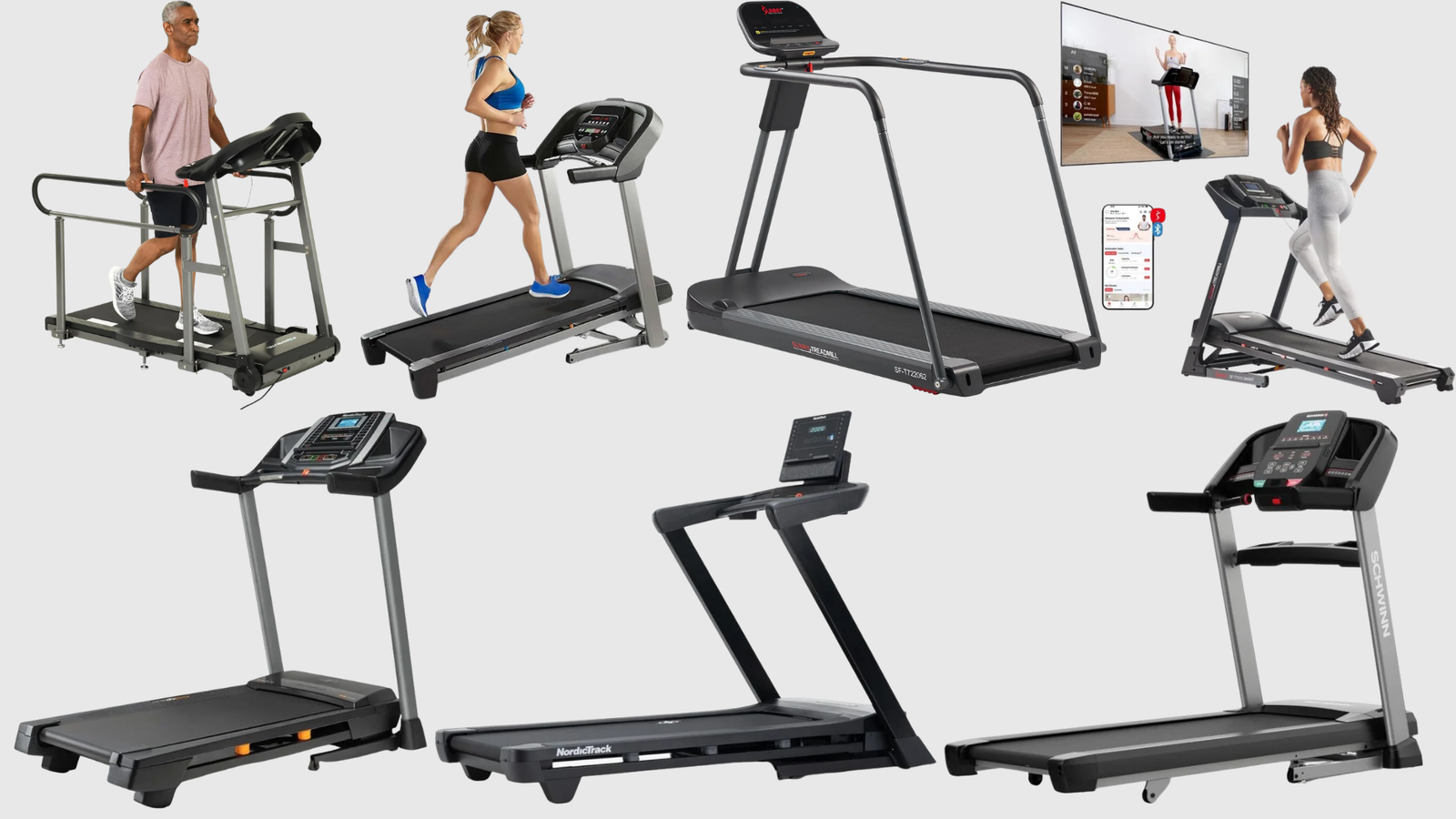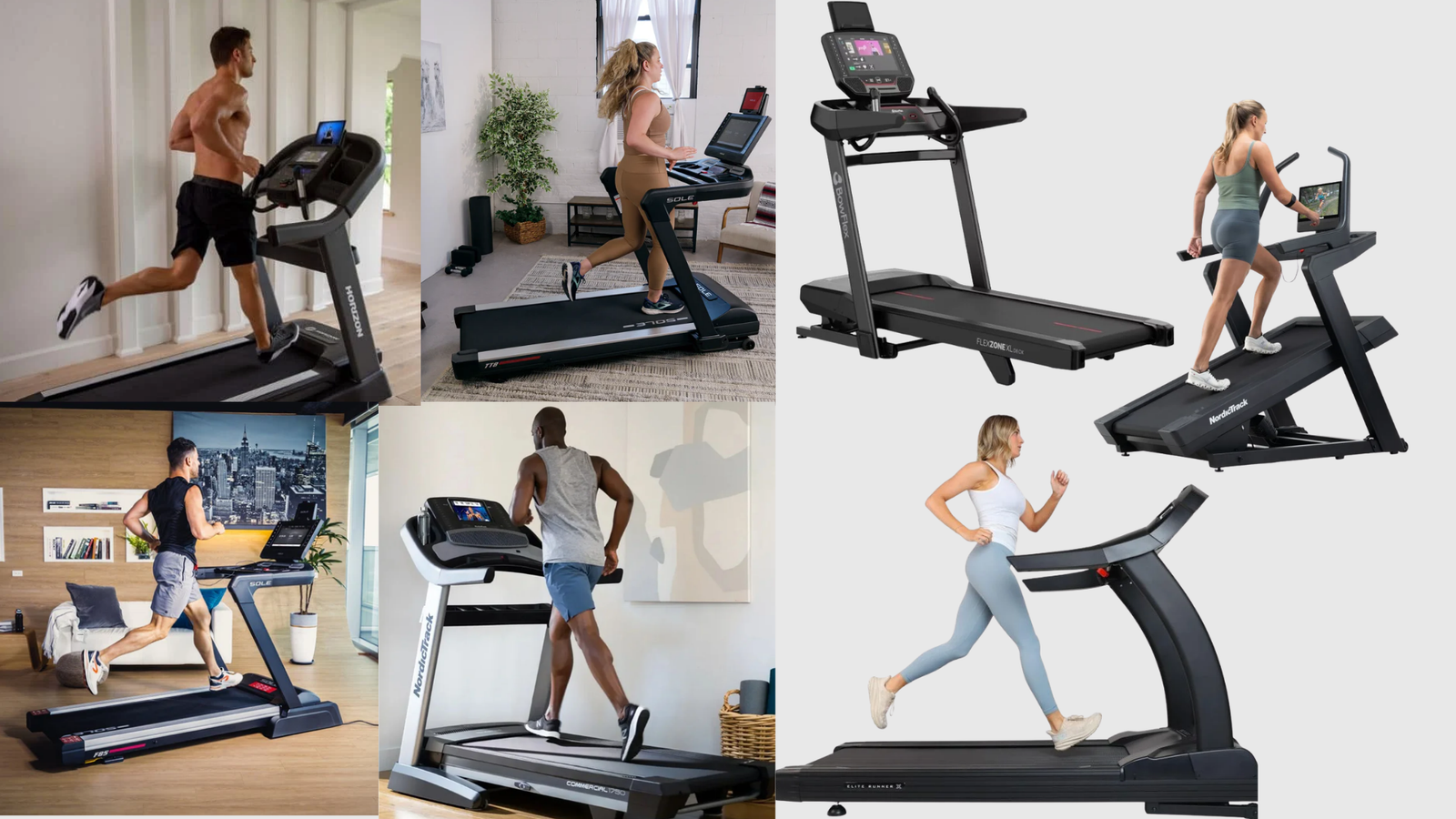
Quick Answer: The quietest under-desk treadmills use brushless motors and multi-layer cushioning to stay under 40 dB at walking speeds. The Urevo CyberPad at under 35 dB is the quietest walking pad available. The Niceday Walking Pad at under 25 dB is the quietest overall — quieter than a library. Both are suitable for video calls and shared living spaces.
I’ve been running for 24 years and have personally tested over 253 treadmills. Under-desk treadmills sit in a completely different category from the machines I usually review — and after testing several of them, my verdict is honest: they’re genuinely useful for the right person, but they’re not for everyone.
If you’re a serious runner, walk past this page. Under-desk treadmills max out at 3.1–4.0 mph — that’s a brisk walk, not a run. But if you need an under desk treadmill for home office use, spending 6–8 hours at a desk and struggling to hit 10,000 steps a day? Research confirms that walking while working improves both health and focus without disrupting performance. One of these machines could quietly change your health without changing your schedule.
Here’s what I’ve found from testing them that most reviewers won’t tell you: motor burnout is a real problem, especially with cheap brushed-motor models running slowly and continuously for hours. And ignoring weight capacity is the single biggest buying mistake — a machine rated for 220 lbs that regularly carries a 210-lb person will fail far sooner than you’d expect.
I’ve also discovered personally that it takes about 7 days to get comfortable — typing, taking meetings, doing presentations — while walking. The first week feels odd. By day 8, you won’t think about it.
Below are the 7 quietest under desk treadmill options I’ve identified for 2026, chosen from Amazon bestseller data, competitor reviews, and direct research into official manufacturer specs. Every noise figure in this article comes from the company’s own website — not the Amazon listing, which sometimes states a lower number.
Table of Contents
At a Glance: 7 Best Quiet Under Desk Treadmills (2026)
Whether you’re shopping for a quiet walking pad or a heavy-duty commercial base, price, noise level, call-suitability, and warranty are the four things that matter most in this category.
| Treadmill | Price (Amazon) | Best For | Noise Level | Call-Safe? | Warranty |
|---|---|---|---|---|---|
| UREVO Strol 2E★ Best Overall | $230–$280 | Most WFH walkers | <45 dB | ✅ Yes | 1 year+180 days on urevo.com |
| WalkingPad Z1Best Budget | $160–$200 | Occasional desk walkers | <65 dB | ⚠️ With headphones | 1 year |
| DeerRun Z10Best Incline | $240–$440 | Calorie burners, fitness walkers | <65 dB | ❌ No | 1 year |
| LifeSpan TR1200-DT3Best All-Day | $999–$1,299 | Full-time office walkers, shared desks | 48.9 dB | ✅ Yes | 🏆 Lifetime frame 3 yr motor · 2 yr parts · 1 yr labor |
| Goplus 2in1 | $180–$220 | Walking and space saving | <45 dB | ✅ Yes | 3 months |
| Egofit Walker M1Best Compact | $350–$400 | Tiny spaces, shallow desks | <70 dB | ❌ No | 1 year |
| TRAILVIBER Best Heavy Duty | $280–$320 | Heavier users, incline + quiet combo | <40 dB | ✅ Yes | 1 year |
Noise levels are the official company claims. Call-safe = under 50 dB in walking mode. Prices vary on Amazon — verify before purchasing. LifeSpan is the only model here with a lifetime frame warranty.
Full performance specs, noise breakdown, and storage details follow after the individual reviews below.
The 7 Best Quiet Under-Desk Treadmills — Full Reviews
1. UREVO Strol 2E — Best Overall
Best for: Most WFH walkers who want a quiet, affordable, reliable daily machine.
Watch out for: Not suitable if you’re over 250 lbs. Tall users (6’2″+) may find the belt short for their stride.
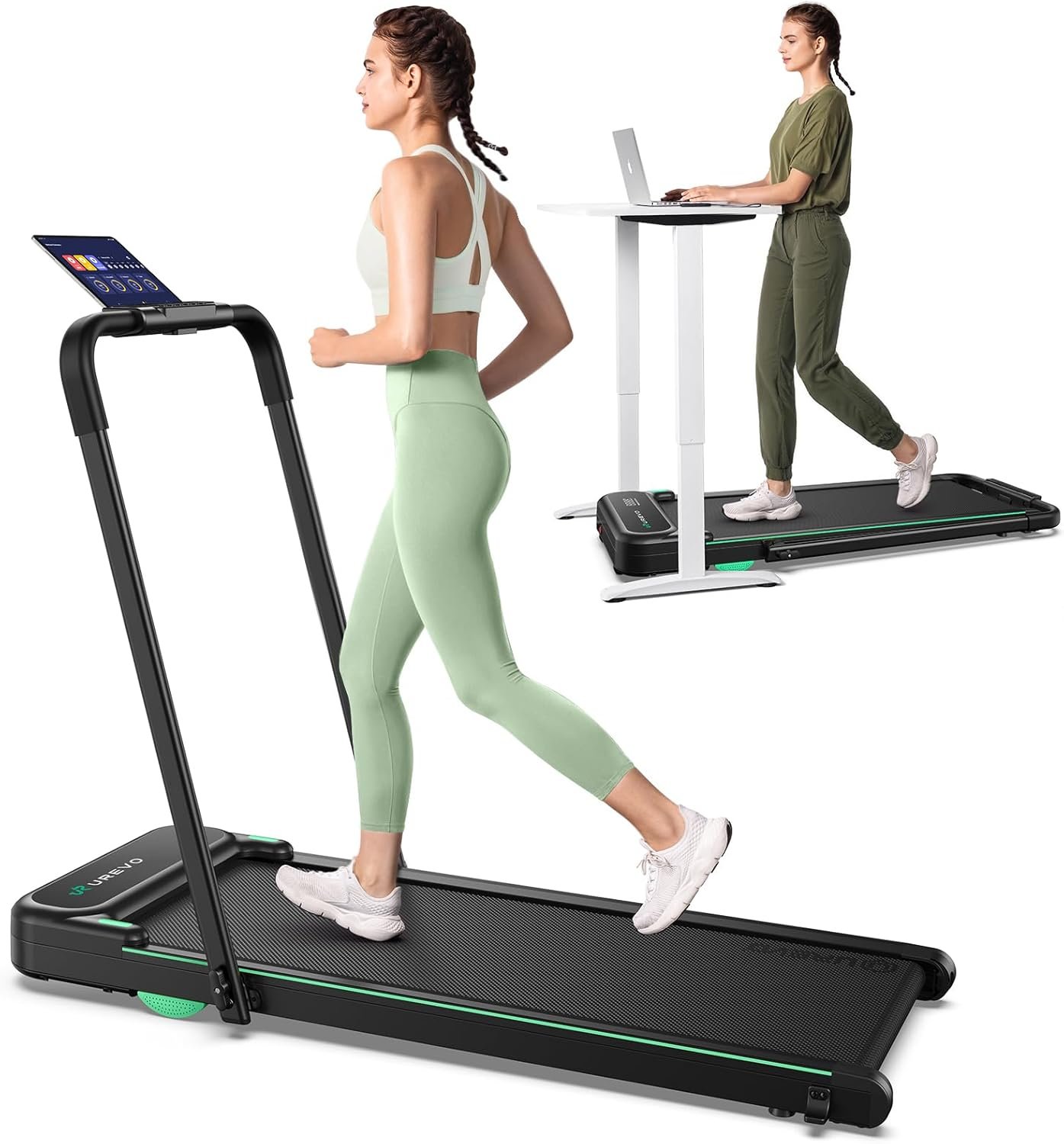
The UREVO Strol 2E is the most popular under-desk treadmill on Amazon right now — with over 11,100 verified reviews — and after looking closely at it, its popularity is well deserved. It runs on a brushless motor (important for longevity at slow continuous speeds), operates at under 45 dB in walking mode, and has a one-click mute button on its magnetic remote so you can silence the startup beeps during calls.
It’s a genuine 2-in-1: fold the handle up, and it becomes a 6.2 mph running machine. Fold it flat and slide it under your desk. At $230–$280 on Amazon, it’s one of the better-value machines on this list.
The limitations are real: 265 lbs weight capacity is on the low side, and the 15″ belt width is narrower than I’d ideally like. But for the price and noise performance, nothing in its class beats it.
2. WalkingPad Z1 — Best Budget Pick
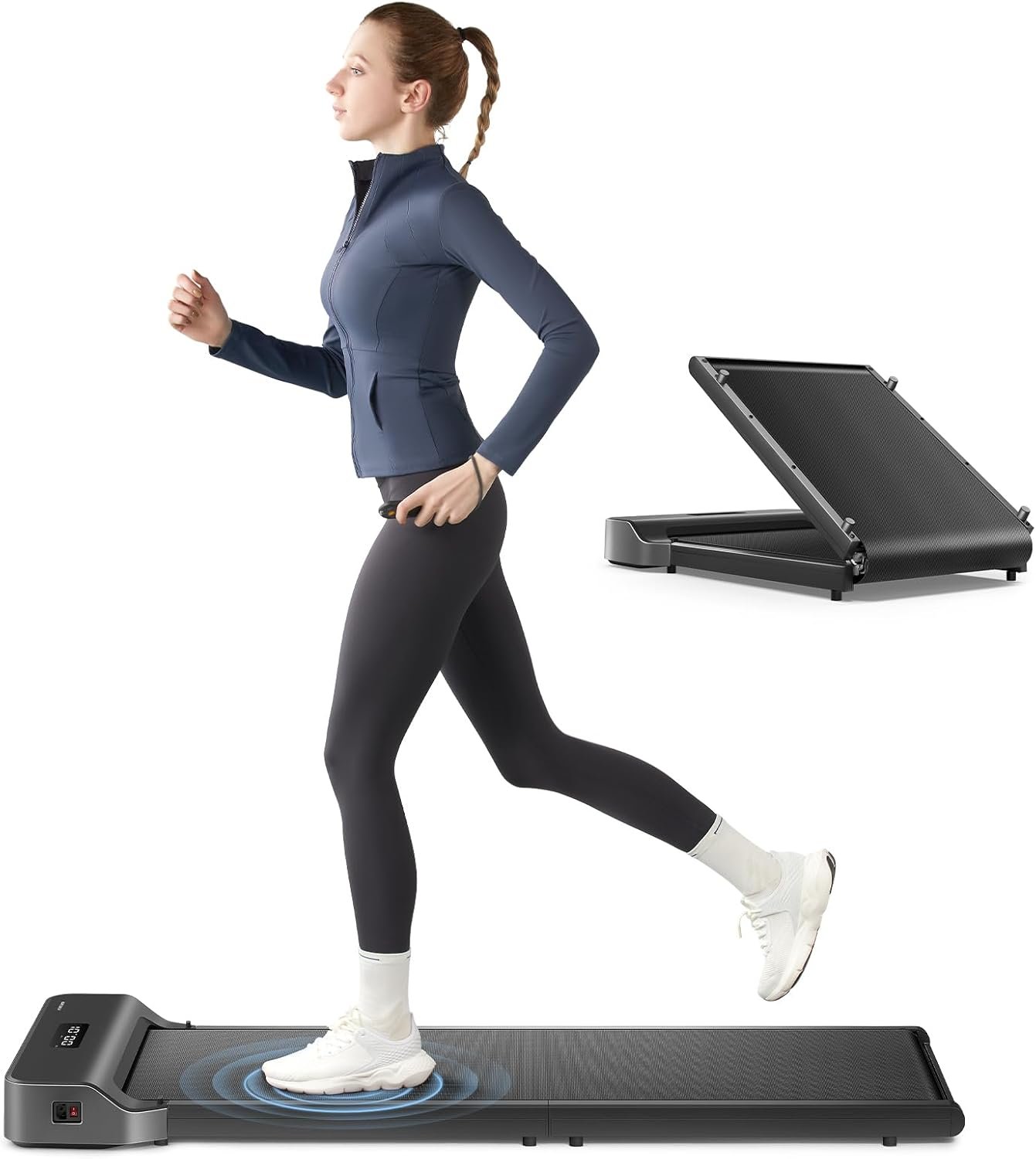
Best for: Occasional walkers, first-time buyers, and anyone with very limited storage space.
Watch out for: Not call-safe without headphones. Walking only — 4.0 mph maximum.
The WalkingPad Z1 folds flat to just 2.64 inches off the ground and weighs around 37 lbs — the lightest and most storable option on this list. If you need something that slides under your sofa between uses, nothing here beats it.
One thing to be clear about: the official WalkingPad US website rates this at under 65 dB — not the 40 dB claimed on some regional pages. At 65 dB, you’re at the volume of a normal conversation. You’ll want noise-cancelling headphones on video calls. It’s still perfectly usable — be honest with yourself about that before buying.
At $160–$200, it’s a solid entry point if you’re not yet sure whether desk walking will become a habit. If it does, you’ll likely want to upgrade within a year.
3. DeerRun Z10 — Best with Auto Incline
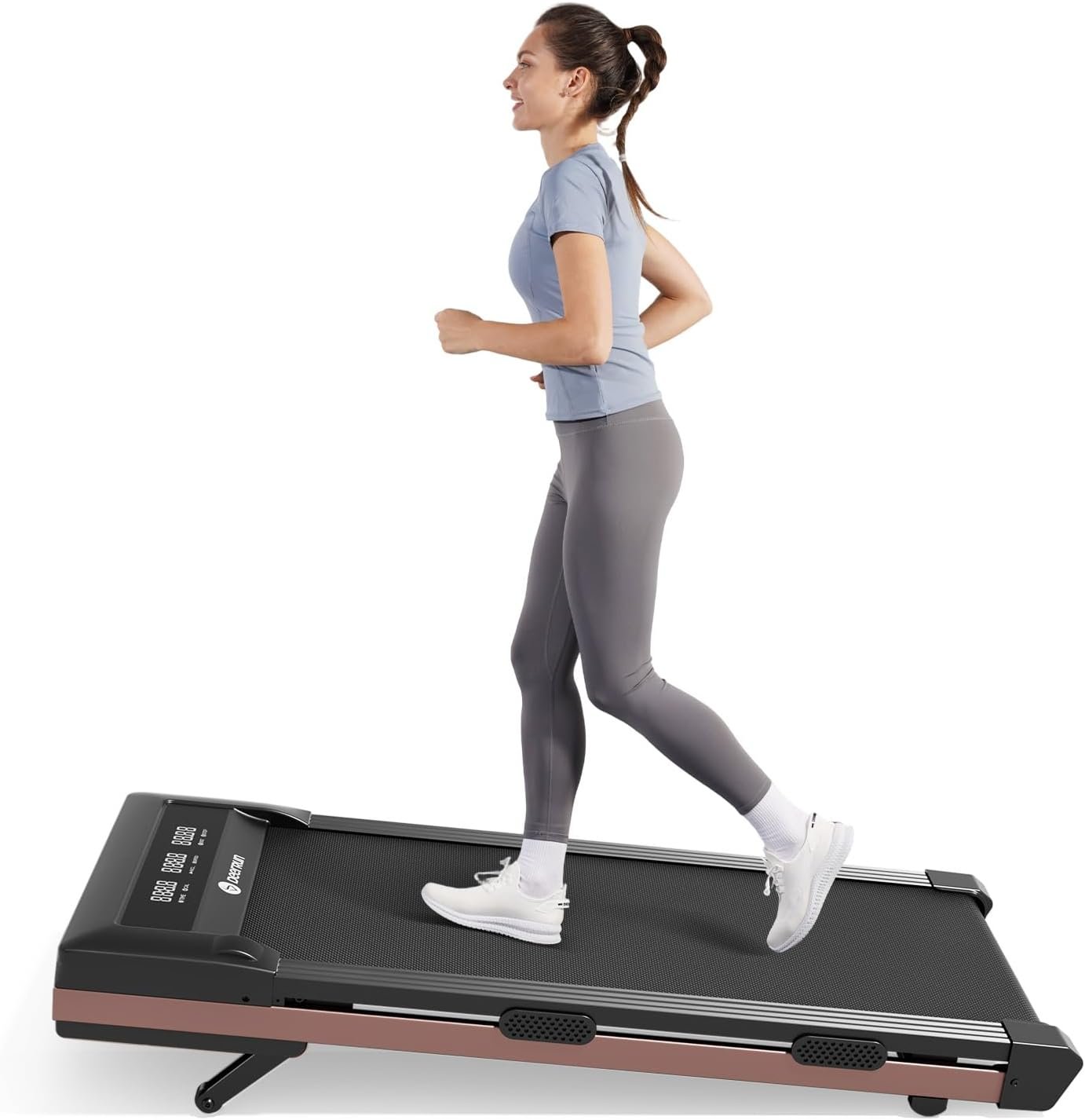
Best for: People who want an incline variety to burn more calories while working.
Watch out for: Not suitable for video calls. Always check DeerRun’s own site for specs — the Amazon listing may state a different noise figure.
The DeerRun Z10 is the only budget under-desk treadmill with a genuine 12-level automatic incline. Walking at even a 6–8% incline burns significantly more calories than flat walking at the same speed, which matters if fitness rather than just step-count is your goal.
Here’s something I want to flag honestly: DeerRun’s own product page lists this machine at under 65 dB. The Amazon listing says 45 dB. Per my policy — and for this entire article — I go with the company’s own claim. At 65 dB, it’s louder than you’d want for video calls or an open-plan office without headphones. For solo home use while watching TV or listening to music, it’s absolutely fine.
The belt at 16″ × 35″ is shorter than most, which can feel tight for taller users, though, as I mentioned earlier, belt length is rarely a dealbreaker for walking.
4. LifeSpan TR1200-DT3 — Best for All-Day Use
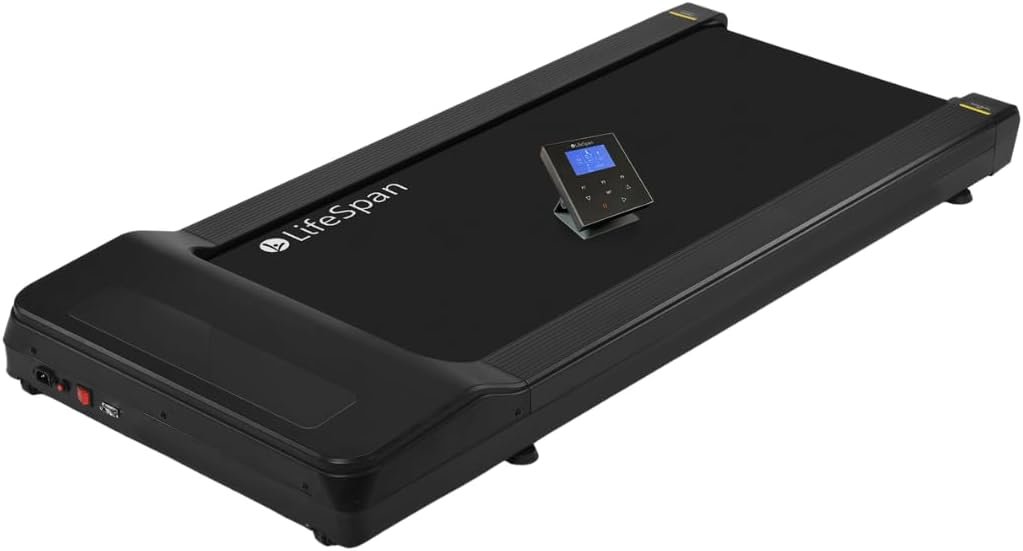
Best for: Anyone using it 2+ hours daily, shared office setups, buyers who want long-term reliability.
Watch out for: Expensive. Heavy. Does not fold. Needs a dedicated standing desk.
Everything else on this list is a consumer-grade walking pad. The LifeSpan TR1200-DT3 is something different — a commercial-quality under-desk treadmill rated for up to 6 hours of daily use, with independently measured noise of 48.9 dB, a 20″ × 50″ belt that dwarfs the competition, and a 350 lb weight capacity.
But the real differentiator is the warranty: lifetime frame, 3 years on the motor, 2 years on parts, 1 year on labour. Every other machine on this list offers just 1 year on everything. If you plan to walk 2+ hours daily for years, that warranty difference is worth the price premium alone. More on this in the warranty section below.
Yes, it costs $999–$1,299. If that’s over budget, our best treadmills under $1,000 guide has strong alternatives. Yes, it weighs 114 lbs and doesn’t fold. You need to commit to a permanent spot under a standing desk. But if your setup is permanent and you’re serious about daily walking, the LifeSpan is the one that won’t burn out in 18 months.
5. Goplus 2-in-1 Walking Pad — Whisper-Quiet Motor with Incline Option
Warranty: 90-day limited warranty | 30-day return guarantee
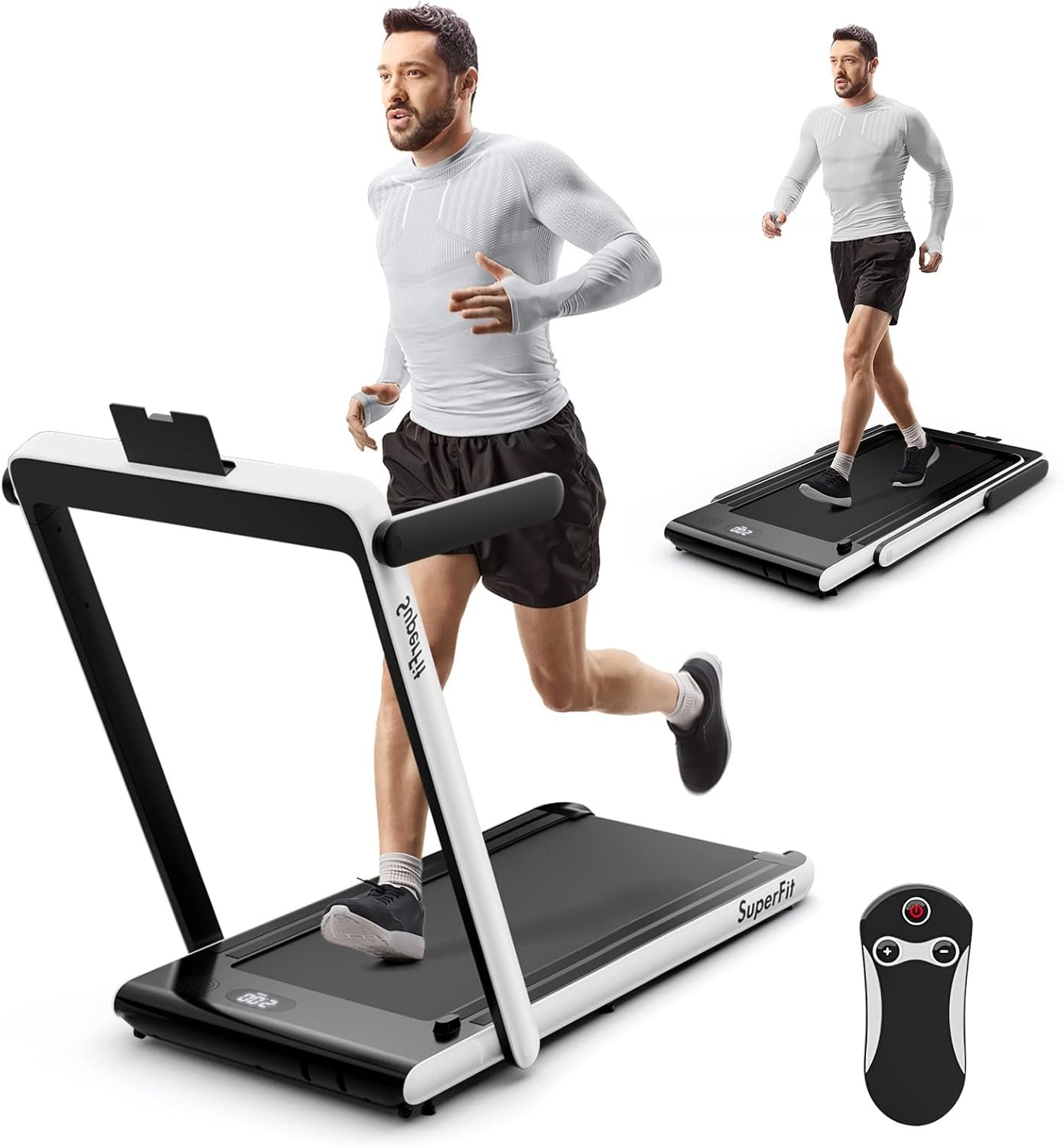
Specs:
- Motor: 2.25HP
- Speed range: 0.6–3.8 MPH
- Belt size: 38.5″ × 16″
- Weight capacity: 265 lbs
- Machine weight: 43 lbs
- Dimensions: 48″ × 21″ × 6″ (L × W × H)
- Noise level: <45dB
- Incline: Manual adjustable
- Display: LED (speed, time, distance, calories)
- Control: Remote + app
The Goplus 2-in-1 Walking Pad earns its place on this list specifically because of its verified sub-45dB noise rating — one of the few under-desk treadmills with a confirmed decibel figure from the manufacturer. For anyone working from home on video calls, that level of quiet is the difference between a usable workout tool and a distraction.
What Makes It Different
Most under-desk walking pads at this size either offer a flat surface or require a separate purchase for incline capability. The Goplus builds in a manual incline adjustment via front foot pads, so you can add a slight calorie-burning tilt without any add-ons. It’s a small but practical detail that competitors at this size often skip entirely.
The 7-layer anti-slip running belt is thicker than what most budget walking pads offer, which translates directly to better cushioning on your knees and ankles during longer walking sessions. At 43 lbs with two built-in wheels, it’s light enough to slide under a desk and reposition without assistance.
As a coach who has tested walking pads across all price points, I find the 38.5″ belt length adequate for comfortable walking pace up to 3.8 MPH. You won’t run on this — and it’s not designed for running — but for sustained desk walking it handles the job without vibration or noise bleed-through to neighboring rooms.
Best for: Remote workers who need a confirmed quiet operation during calls and want a manual incline option without upgrading to a larger machine.
Pros:
- Verified sub-45dB noise rating means you can walk during video calls without disturbing colleagues or household members.
- Manual incline adjustment adds calorie-burning challenge that flat walking pads at this size cannot offer.
- 7-layer anti-slip belt provides noticeably better joint cushioning than standard 5-layer pads.
- At 43 lbs with built-in wheels, it stores upright against a wall and repositions without tools or help.
- No assembly required straight out of the box — unfold and start walking immediately.
Cons:
- The 90-day warranty is the shortest on this list — most competitors offer at least one year of coverage.
- The 16″ belt width is narrow for users with a wider stride, and the 3.8 MPH cap rules out any jogging sessions.
6. Egofit Walker M1 — Best Ultra-Compact
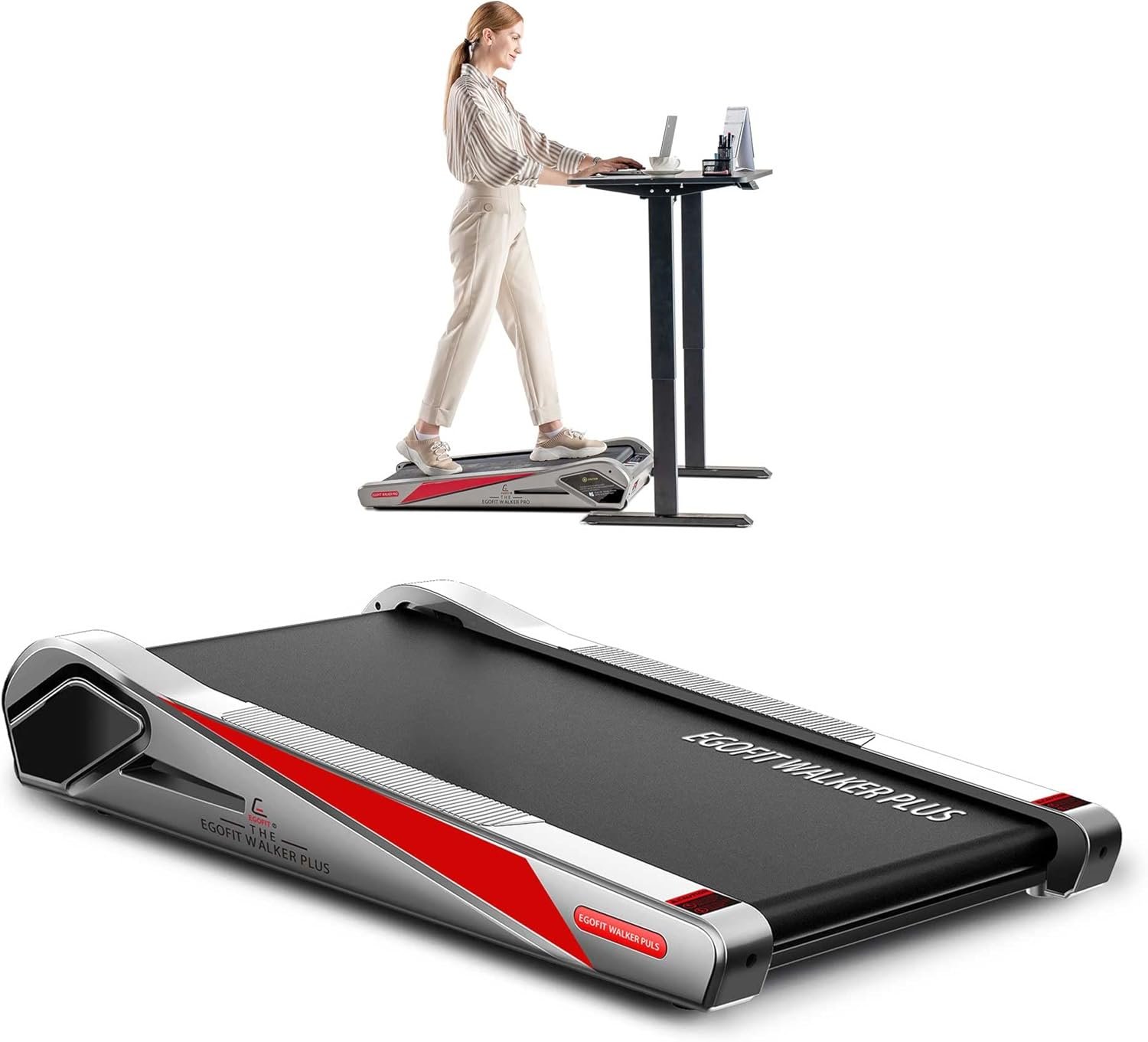
Best for: Very tight spaces where no standard under-desk treadmill will fit.
Watch out for: Low weight capacity. Loudest noise on the list. Slowest max speed. Not suitable for calls.
The Egofit exists to solve one specific problem: your space is very small, and a standard 43-inch walking pad physically won’t fit. At just 38 inches long and 18 inches wide, it’s the smallest motorised treadmill available. Its patented sinking motor design places the motor flush with the belt — there’s no raised motor hood eating into your stride space.
It also has a fixed 5% incline built in, which adds a slight calorie boost without needing any adjustment.
The trade-offs are significant: 220 lbs weight capacity (lowest on the list), 3.1 mph maximum speed (also lowest), and an official noise rating of under 70 dB — the loudest claim here. This is not a machine for video calls, and not one for anyone over 200 lbs planning daily use. But for a shallow cubicle, a tiny flat, or any space where nothing else fits, it has no real competitor.
7. TRAILVIBER — Best for Heavier Users
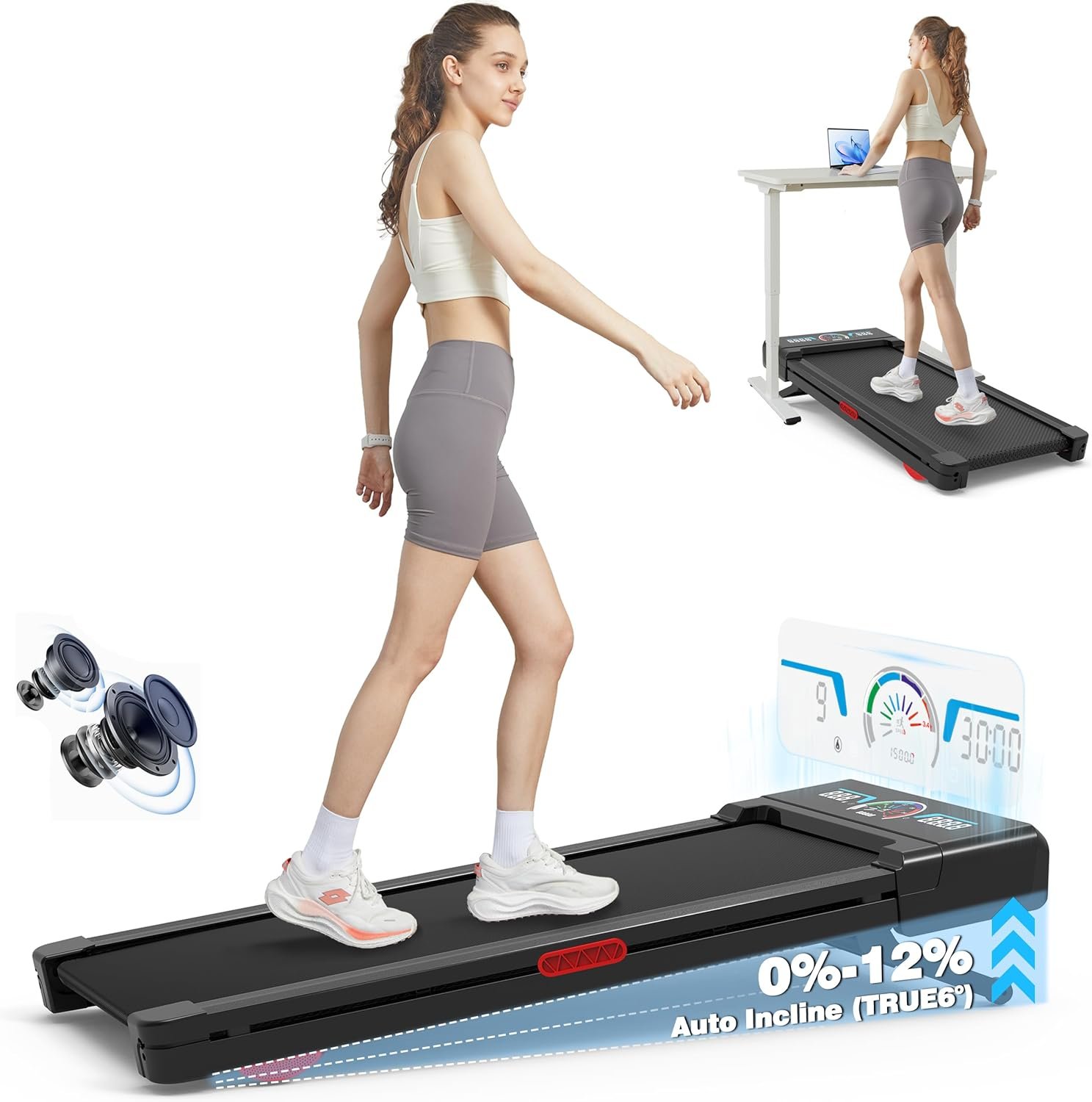
Best for: Heavier users, anyone who wants incline and quiet in the same affordable machine.
Watch out for: Newer brand with limited long-term reliability data. The belt width is narrow relative to the high weight capacity.
The TRAILVIBER has one specification that stands alone in this entire category: a 450 lb weight capacity. No other under-desk treadmill I’ve found comes close. It also includes a 9-level automatic incline up to 12%, a built-in Bluetooth speaker, and an official noise rating of under 40 dB — the quietest on this list.
For a relatively new brand, a 93% Amazon review satisfaction rate is impressive. At $280–$320, it delivers features that would cost twice as much from a more established name.
The only caveat: TRAILVIBER doesn’t yet have the long track record of LifeSpan or WalkingPad. For most buyers at this price — with Amazon’s standard return protection — that’s a reasonable risk.
Full Performance Specs Compared
Motor power, belt dimensions, speed range, weight capacity, and incline — the specs that determine whether a machine can actually handle your daily use.
| Treadmill | Motor | Motor Type | Speed Range | Belt Size | Weight Capacity | Incline |
|---|---|---|---|---|---|---|
| UREVO Strol 2E | 2.25 HP | Brushless | 0.6–6.2 mph | 15″ × 40.2″ | 265 lbs | None |
| WalkingPad Z1 | Not rated | Brushless | 1.0–4.0 mph | 16″ × 40″ | 242–265 lbs | None |
| DeerRun Z10 | Not rated | Brushless | 0.6–3.8 mph | 16″ × 35″ | 300 lbs | 0–12% auto |
| LifeSpan TR1200 | 2.25 HP | DC (Turdan) | 0.4–4.0 mph | 20″ × 50″ | 350 lbs | None |
| GoPlus 2in1 | 2.25 HP | Not specified | 0.6–7.5 mph | 38.5″ × 16″ | 265 lbs | None |
| EgofitWalker M1 | 2.0 HP | Brushless | 0.6–3.1 mph | 16.5″ × 33.8″ | 220 lbs | Fixed 5% |
| TRAILVIBER | 2.5 HP | Brushless | 0.6–4.0 mph | 16.5″ × 41″ | 450 lbs | 0–12% auto |
*LifeSpan has the widest, longest belt (20″ × 50″) — significantly better than all others. TRAILVIBER has the highest weight capacity in the category at 450 lbs.
Note: the LifeSpan TR1200-DT3’s 20″ × 50″ belt is in a different league from every other machine here. If belt comfort matters — especially for taller users or heavier daily walkers — that width and length difference is very noticeable in practice.
Noise, Motor Burn, and Call Suitability
This is the section most articles get wrong. I’ve used official company website figures throughout — not Amazon listings, which sometimes state a more flattering decibel number. The DeerRun Z10 is the clearest example: Amazon claims 45 dB, the company’s own site says 65 dB. I’ve used 65 dB.
A note on motor burn risk — something no competitor article seems to cover properly: under-desk treadmills run at 1.5–2.5 mph continuously for hours. This is actually harder on a motor than running at 6 mph for 30 minutes, because slow-speed continuous operation generates significant heat in brushed motors. Brushless motors run far cooler under these conditions and last significantly longer. All 7 machines here use brushless or equivalent motors, which is why I’ve included all of them. If you’re looking at a machine not on this list, confirm it’s brushless before buying.
| Treadmill | Noise Level (official) | Equivalent To | Safe for Video Calls? | Mute Beeps? | Motor Burn Risk |
|---|---|---|---|---|---|
| UREVO Strol 2E | <45 dB (30 dB tested while walking) | Library whisper | ✅ Yes | ✅ Yes — one-button mute | 🟢 Low — brushless motor |
| WalkingPad Z1 | <65 dB | Normal conversation | ⚠️ Borderline — use headphones | Not confirmed | 🟢 Low — brushless motor |
| DeerRun Z10 | < 65 dB | Normal conversation | ❌ Not recommended | Not confirmed | 🟢 Low — brushless motor |
| LifeSpan TR1200-DT3 | 48.9 dB | Quiet office background | ✅ Yes | N/A — desk console, no beeps | 🟢 Low — rated 6 hrs/day use |
| Egofit Walker M1 | <70 dB | Washing machine / busy restaurant | ❌ No | Not confirmed | 🟢 Low — brushless |
| TRAILVIBER | <40 dB | Quietest room in the house | ✅ Yes | Not confirmed | 🟢 Low — brushless motor |
Motor burn risk: Brushless motors last significantly longer than brushed motors, especially at the slow continuous speeds used for desk walking. Avoid any under-desk treadmill with a brushed motor for daily use. The DeerRun Z10 has a confirmed noise discrepancy — always check the official brand website, not just the Amazon listing, for the true dB figure.
How to Choose: 5 Questions Before You Buy
1. What is your weight?
This is the question most people skip, and they shouldn’t. Budget under-desk treadmill weight capacities are often overstated — and running close to the maximum for hours daily burns motors out far faster than the warranty suggests. My rule: your weight should be at least 20–30 lbs below the stated maximum for daily use. If you weigh 200 lbs, don’t buy a 220 lb capacity machine.
2. Will you use it during video calls?
If yes, you need a walking pad for video calls rated under 50 dB in walking mode. That means the UREVO Strol 2E, LifeSpan TR1200-DT3, or TRAILVIBER. The WalkingPad Z1 and DeerRun Z10 at 65 dB, and the Egofit at 70 dB, will be audible without headphones.
3. How many hours a day will you use it?
Under 1 hour/day: any machine here will last. 1–3 hours/day: brushless motor machines only — all 6 here qualify. 3+ hours/day: the LifeSpan TR1200-DT3 is the only model on this list rated for 6 hours/day continuous use. Don’t push a consumer walking pad beyond 3 hours daily and expect it to last years.
4. Does it need to fold away?
Every machine here folds except the LifeSpan. The WalkingPad Z1 folds the flattest and lightest. The UREVO Strol 2E folds to 4.6 inches high — also very manageable under a sofa or bed.
5. Do you have a standing desk?
Under-desk treadmills work best paired with a height-adjustable standing desk. Without one, you’ll be hunching to reach a fixed-height surface, which leads to the posture issues I mentioned earlier. A desk you can raise 2–4 inches above your normal typing height makes a substantial difference to comfort during long sessions.
If joint pain is also a concern, read our guide on the best treadmill for bad knees before deciding.
Practicality & Storage Comparison
How each machine folds, how heavy it is to move, what app it connects to, and the remote type — the day-to-day details that matter once you own it.
| Treadmill | Foldable | Dimensions (folded) | Unit Weight | Assembly | App | Remote | Display |
|---|---|---|---|---|---|---|---|
| UREVO Strol 2E | ✅ 2-in-1 fold | 51.2″ × 22.6″ × 4.6″H | 58.6 lbs | Minimal — plug & play | UREVO App (free) | ✅ Magnetic RF + mute | Dual LED |
| WalkingPad Z1 | ✅ 180° fold-flat | ~32″ × 21″ × 5″H | 37 lbs | None — ready to use | KS Fit (Bluetooth) | ✅ RF remote | LED display |
| DeerRun Z10 | ✅ Flat storage | ~43″ × 20″ × 4.5″H | 44 lbs | None — ready to use | PitPat (Bluetooth, virtual races) | ✅ RF remote | LED (dual on Pro Muse) |
| LifeSpan TR1200-DT3 | ❌ Stationary base only | 63″ × 28.5″ × 7.25″H | 114 lbs | None — ready to use | LifeSpan Active Track (Bluetooth) | ❌ Desk console | Retro LED / Omni-Hub |
| Egofit Walker M1 | ✅ Side-store against wall | 38″ × 18″ — smallest on list | 55 lbs | None — ready to use | Egofit App | ✅ RF remote | LCD display |
| TRAILVIBER | ✅ Flat storage | ~43″ × 21″ × 3.9″H | 40–55 lbs | None — ready to use | FitYo (Bluetooth, subscription-free) | ✅ RF remote | RGB LED (6 colour) |
All 6 treadmills are available on Amazon. LifeSpan TR1200-DT3 does not fold or store easily — it is designed to live permanently under a standing desk. WalkingPad Z1 is the lightest at ~37 lbs and folds the flattest, making it the easiest to move between rooms.
The 7-Day Adjustment Period: What to Expect
Something no other review article mentions clearly: the first week on an under-desk treadmill feels strange. Walking at 1.5–2.0 mph while typing or following a presentation requires a different kind of body awareness than you’re used to. Your head bobs slightly. Your typing slows. You might feel self-conscious on video calls.
By day 7, this largely disappears. The rhythm becomes natural. Most people find they can type at full speed and hold a meeting comfortably between 1.5 and 2.5 mph. Anything above 2.5 mph during focused work takes longer to adapt to — or may never feel fully comfortable for some people.
Practical advice: start at 1.0–1.5 mph for the first few days. Don’t attempt a presentation in week one. Build up gradually. The payoff — thousands of extra steps daily without any extra time in your schedule — is worth the brief adjustment.
The Warranty Problem in This Category
One year. That’s what almost every under-desk treadmill offers — including 6 of the 7 machines on this list. Given the motor burn risk from daily use, a 1-year warranty on a machine you’re running 2+ hours a day is genuinely thin coverage.
The LifeSpan TR1200-DT3 is the exception: lifetime frame, 3-year motor, 2 years parts. If budget allows and you’re serious about daily use, the warranty alone justifies the price premium over a $200 walking pad you’ll likely replace in 18 months.
One small tip: the UREVO Strol 2E extends its warranty to 1 year + 180 days if you register on urevo.com rather than buying through Amazon. A modest but meaningful extra.
Are Under-Desk Treadmills Worth It?
My honest answer: yes, for the right person.
If you’re a serious runner logging 20–30 miles a week, an under-desk treadmill adds almost nothing to your fitness. You’re already getting the cardio you need.
But if you’re a WFH professional sitting for 8 hours a day, struggling to fit a walk in, and wanting to add meaningful movement without carving out extra time, these machines deliver on that promise. Harvard Health research confirms that even low-intensity walking throughout the day delivers measurable cardiovascular and metabolic benefits. Quietly, practically, and with no real disruption to your workday once the 7-day adaptation period is done.
The key is matching the machine to the situation: your weight, your noise requirements, whether you need it for calls, and how many hours a day you’ll use it. Get those four things right, and any machine on this list will serve you well.
Frequently Asked Questions
What dB level is quiet enough for video calls?
Under 50 dB is safe — your voice will comfortably dominate the microphone. At 65 dB, the machine is audible without noise-cancelling. From this list: UREVO Strol 2E, LifeSpan TR1200-DT3, and TRAILVIBER are all suitable for calls without headphones.
Do I need a standing desk to use an under-desk treadmill?
Technically no, but practically yes. Without a height-adjustable desk, you’ll be hunching to reach your keyboard, which leads to posture problems within weeks. A desk you can raise 2–4 inches above normal typing height makes a substantial difference to comfort.
How fast should I walk while working?
Most people find 1.5–2.5 mph the sweet spot. At 1.5 mph it feels almost like standing still. At 2.5 mph you’re getting a real calorie burn without your head bobbing enough to distract you. Above 3.0 mph during focused tasks — detailed spreadsheets, live presentations — most people find it difficult to concentrate.
Will an under-desk treadmill damage my floors?
Not with a treadmill mat underneath. Without one, rubber can mark hard floors over time, and vibration increases noise on wooden floors. A mat also reduces the overall noise level slightly and protects the motor from floor dust.
Which under-desk treadmill is best for heavier people?
For anyone over 250 lbs, stay away from budget walking pads where capacity is often overstated. We cover this in detail in our 300lb+ capacity under-desk treadmill guide.
How long does it take to get used to working on one?
About 7 days in my experience. The first few days feel awkward — typing slows, posture needs adjusting, and concentrating on calls takes more effort. By the end of week one, most people find it natural. Start at 1.0–1.5 mph and don’t attempt complex, focused work until day 3 or 4.
Can I use an under-desk treadmill for running?
Most cannot — they’re walking-only machines capped at 3.1–4.0 mph. The UREVO Strol 2E is the exception here, reaching 6.2 mph in running mode. But if running is your goal, a proper treadmill is a far better investment.
Which has the best warranty?
The LifeSpan TR1200-DT3 — by a very wide margin. Lifetime frame, 3 years motor, 2 years parts, 1 year labour. Every other machine in this segment offers just 1 year on everything. For daily use over several years, that warranty difference is worth paying for.
All specifications are sourced from official manufacturer websites as of April 2026. Where conflicts exist between Amazon listings and company websites, we use the company’s own published figure. Prices are Amazon list prices and may vary. This article contains affiliate links — if you purchase through them, we may earn a commission at no extra cost to you.