Updated 2026 · 8 min read
The best under-desk treadmills with incline do something flat walking pads cannot — they engage your glutes, hamstrings, and calves more deeply, burn significantly more calories per hour, and replicate the feel of outdoor terrain without leaving your home office. After 24 years of running experience and hands-on assessment of the under-desk treadmill market, I’ve selected seven models that offer genuine incline capability alongside practical desk-use design.
Quick Answer: The DeerRun Z10 is the best overall pick — 12-level automatic incline up to 12%, PitPat app connectivity, and solid 300 lb capacity at a competitive price. For the steepest incline available in this category, the Urevo CyberPad hits 14% automatic. For plus-size users needing maximum capacity, the Trailviber at 450 lbs is the only meaningful option.
Walking on an incline increases your heart rate, targets glutes and hamstrings, and boosts calorie burn compared to flat walking. Even a modest 5% grade makes a measurable difference in workout intensity without requiring you to increase speed — which matters when you’re trying to stay focused on work. For a deeper look at which muscle groups treadmill walking and running engage, see our guide on muscles involved in treadmill workouts. According to NIH research on walking intensity, incline walking at moderate grades significantly increases metabolic demand compared to flat-surface walking at the same speed. For anyone spending 3–6 hours a day at a standing desk, that difference adds up fast. If you’re not yet sure whether an incline model is right for you, our under-desk treadmill guide covers the full category.
Comparison: Best Under-Desk Treadmills with Incline 2026
| Model | Incline Type | Max Grade | Weight Capacity | Speed Range | Best For | Check Price |
|---|---|---|---|---|---|---|
| DeerRun Z10 | Automatic | 12% | 300 lbs | 0.6–3.8 MPH | Best Overall | Check Price on Amazon |
| Urevo CyberPad | Automatic | 14% | 242 lbs | 0.6–3.7 MPH | Steepest Incline | Check Price on Amazon |
| Trailviber | Automatic | 12% | 450 lbs | Up to 5 MPH | Plus-Size Walkers | Check Price on Amazon |
| Urevo Strol 2S Pro | Automatic | 9% | 265 lbs | 0.6–7.6 MPH | Walk + Run | Check Price on Amazon |
| Hccsport with Desk | Manual | 9% | 300 lbs | 0.6–8 MPH | Built-in Workspace | Check Price on Amazon |
| Egofit Walker Pro M1 | Fixed | 5% | 220 lbs | 0.6–3.1 MPH | Small Spaces | Check Price on Amazon |
| Maksone Wooden | Fixed | Slight grade | 265 lbs | Up to 3.7 MPH | Office Aesthetics | Check Price on Amazon |
1. DeerRun Z10 — Best Overall Incline Walking Pad
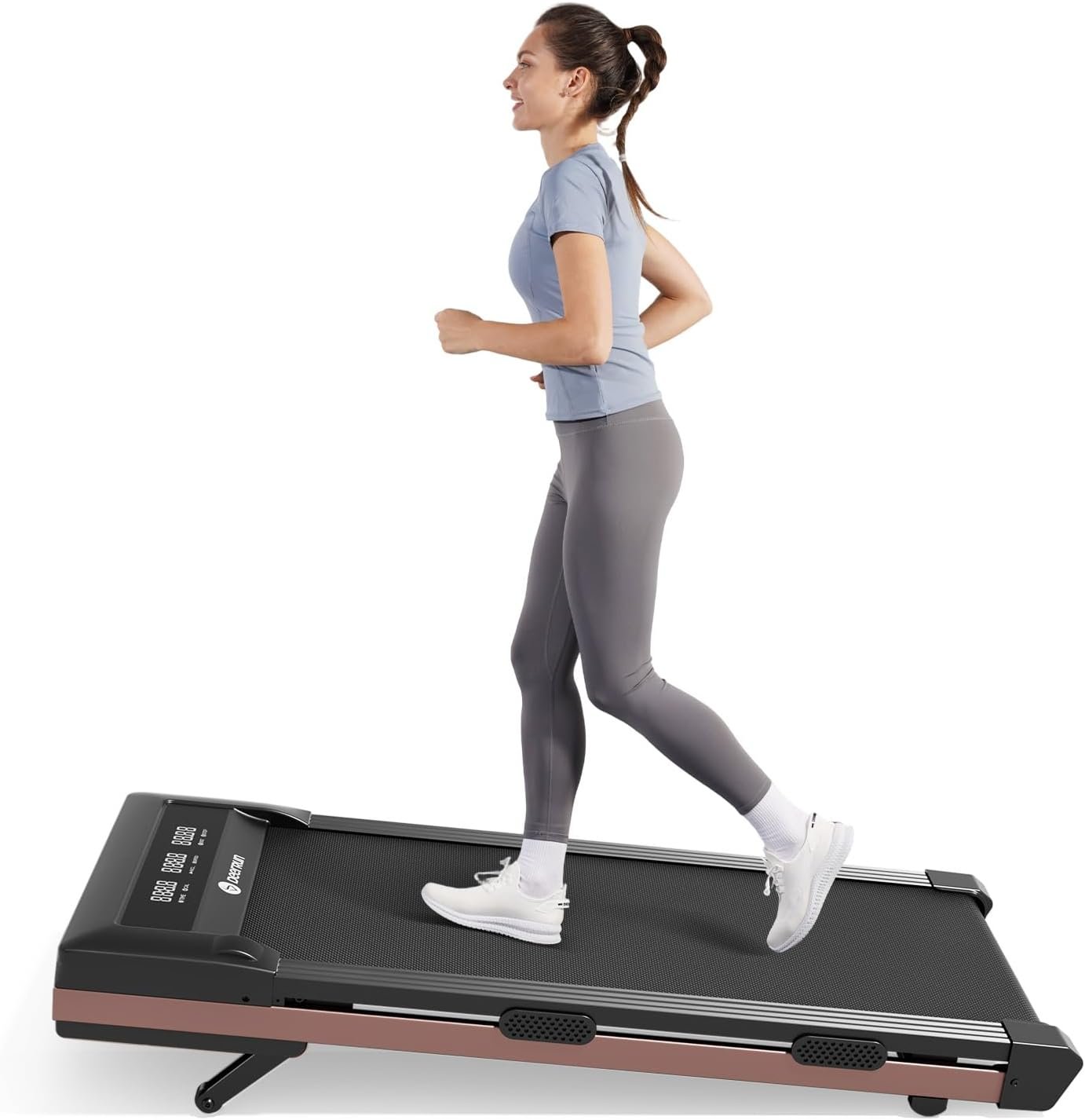
- Motor — 3.0 CHP
- Incline — 12-level automatic, up to 12%
- Speed — 0.6–3.8 MPH
- Weight Capacity — 300 lbs
- Belt — 35.43″ × 15.94″
- Noise — ~45–58 dB
- App — PitPat (iOS + Android), Apple Health sync
- Controls — Remote control + app
Best For: Most desk walkers who want an automatic incline with smart app features
The DeerRun Z10 earns the top spot for one straightforward reason: it delivers a 12-level automatic incline adjustable via remote while you walk, paired with PitPat app integration that turns everyday desk walking into something genuinely engaging. The incline adjusts without you stopping, bending down, or breaking your stride — which matters more than it sounds when you’re mid-meeting.
The 3.0 CHP motor handles walking sessions without strain and the machine runs quietly enough for video calls. With a 300 lb capacity and a 35.43″ × 15.94″ running surface, it suits most users who are using it primarily for desk walking at 1–3 MPH. The PitPat app adds virtual challenges, social competitions, and Apple Health sync — features you’d normally pay more for.
The trade-off is the 3.8 MPH speed cap, which makes this a pure walking pad — not a jogging option. Users taller than 5’8″ may also find the belt slightly short for a natural stride. But for the core use case of incline desk walking, nothing at this price matches the overall package.
Pros
- Remote-controlled automatic incline — no stopping to adjust
- PitPat app adds social and challenge features
- Quiet enough for video calls
- 300 lb capacity handles most users comfortably
- Compact enough to slide under most desks
Cons
- 3.8 MPH cap — walking only, no jogging
- Belt may feel short for taller users (5’8″+)
- Beeping sounds cannot be muted on all models
2. Urevo CyberPad — Steepest Incline Available
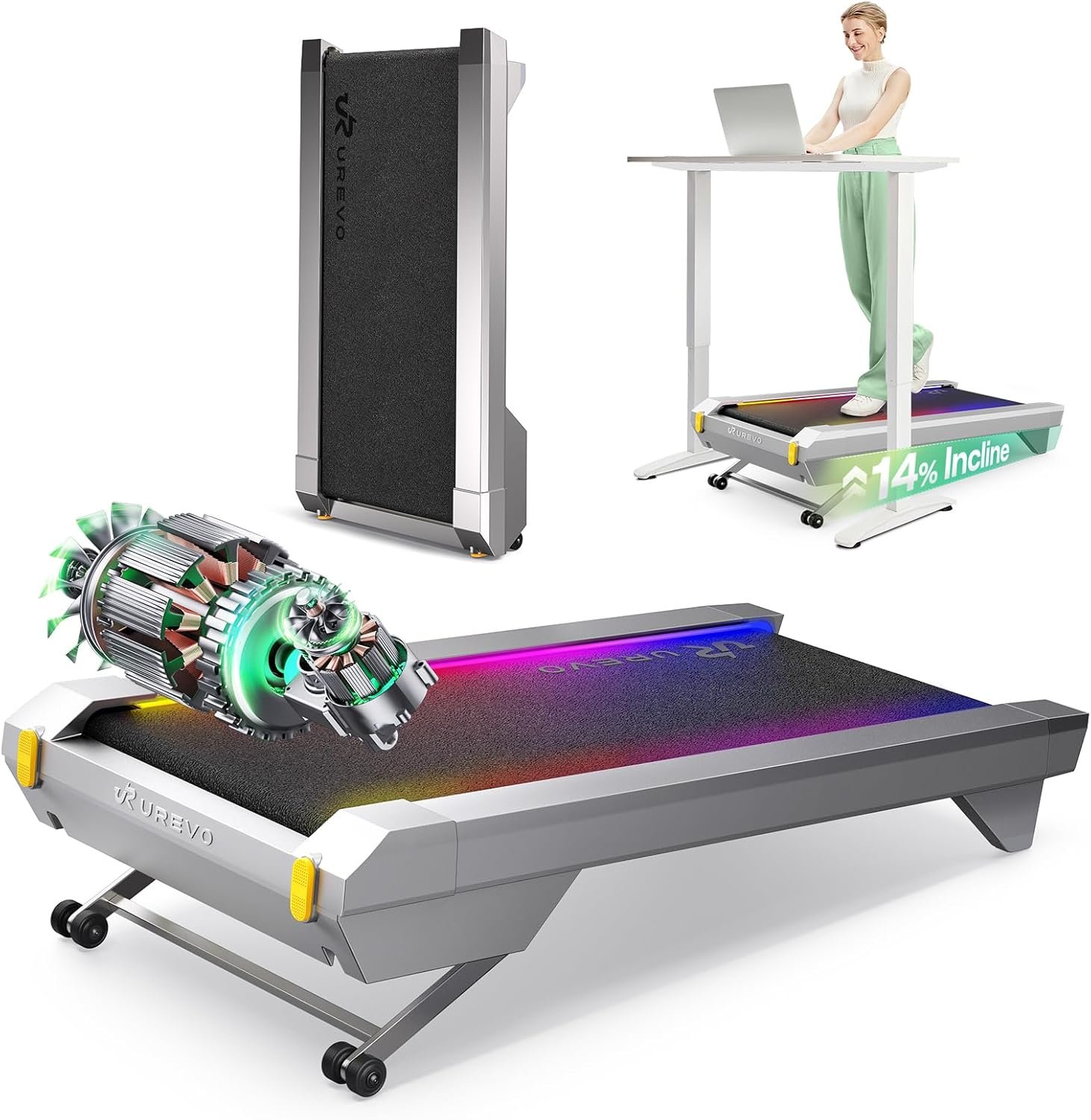
- Motor — 2.5 CHP brushless (MegaPower)
- Incline — Automatic 0–14% (MegaLift technology)
- Speed — 0.6–3.7 MPH
- Weight Capacity — 242 lbs
- Shock Absorption — 8-point system
- Noise — Under 35 dB at desk-walking speeds
- App — UREVO SmartCoach app
- Motor Type — Brushless (quieter, longer lifespan)
Best For: Users who want maximum incline intensity in a compact walking pad
The Urevo CyberPad earns its place on this list for one spec no other walking pad here can match: a 14% automatic incline. That’s the steepest grade available in the under-desk category, and at 14% you’re working at an intensity that genuinely challenges your cardiovascular system and posterior chain — not just ticking steps. The MegaLift front-and-rear double lift mechanism adjusts smoothly via remote without any manual fiddling.
The 2.5 CHP brushless motor is a standout spec — brushless motors run quieter and last longer than brushed equivalents, and Urevo’s own testing cites under 35 dB operation at desk-walking speeds. The 8-point shock absorption system reduces knee impact meaningfully during extended sessions. The UREVO app adds workout tracking, challenge modes, and virtual routes. For users under 242 lbs who want the most intense incline workout available from a walking pad, this is the clear recommendation.
The 242 lb weight capacity is the binding constraint here — it’s lower than most other models on this list and needs to be factored in honestly. This is not the right machine for users above that threshold. The speed also caps at 3.7 MPH, keeping it firmly in walking-only territory.
Pros
- Steepest incline in this category at 14%
- Brushless motor runs quieter and lasts longer
- 8-point shock absorption protects joints
- Expanded running deck for compact frame size
- Under 35 dB at walking pace
Cons
- 242 lb weight capacity — lowest on this list
- 3.7 MPH max — walking only
- App can feel clunky compared to the remote
3. Trailviber Walking Pad — Best for Plus-Size Walkers
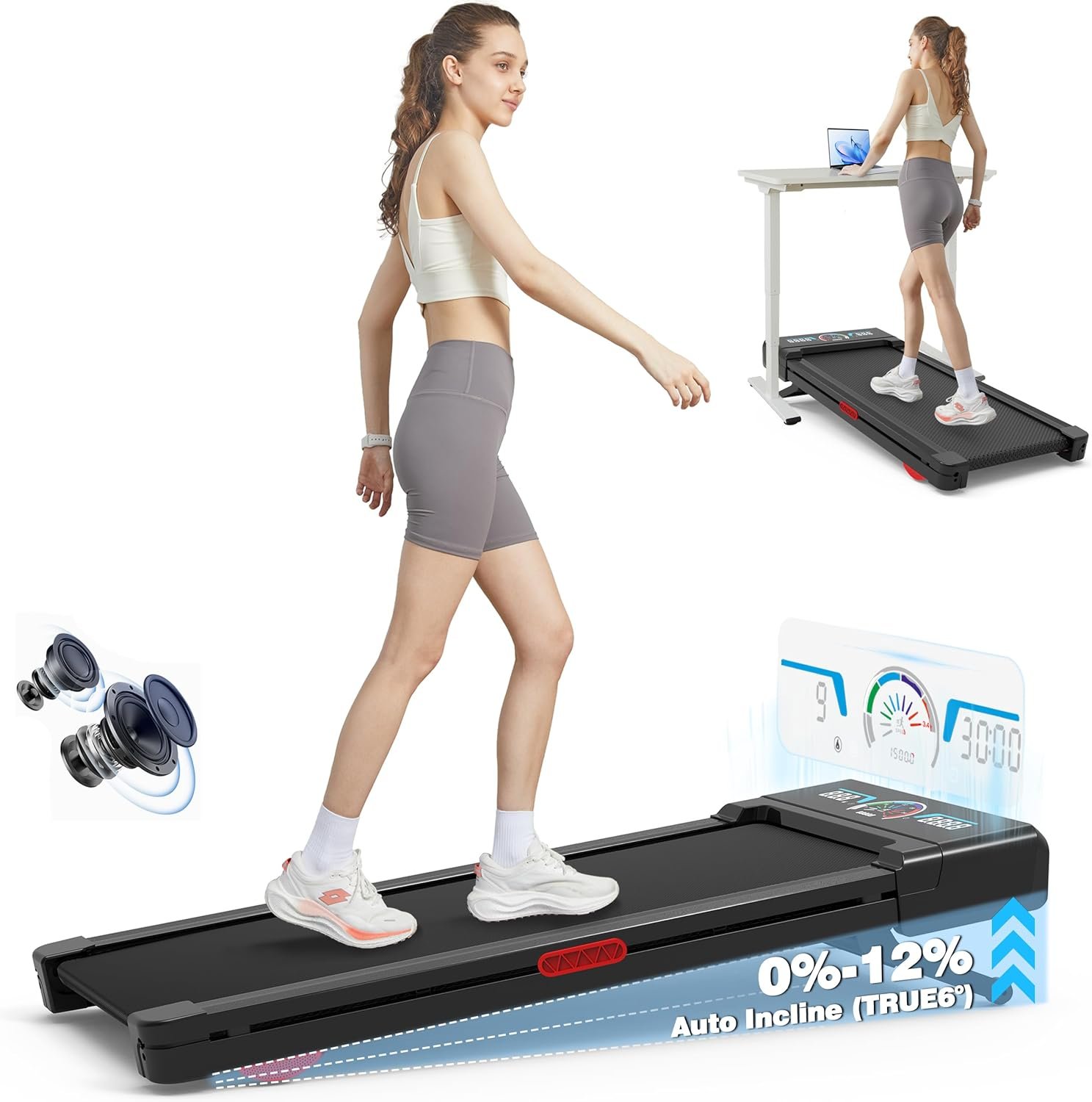
- Motor — 2.5 CHP
- Incline — 9-level automatic, up to 12%
- Speed — Up to 5 MPH
- Weight Capacity — 450 lbs
- Shock Absorption — Triple cushioned, 4 silicone points
- Display — RGB LED screen
- Audio — Built-in Bluetooth speaker
Best For: Users over 300 lbs who need both incline capability and structural confidence
The Trailviber is the only walking pad on this list built around a 450 lb weight capacity — and that’s not marketing padding. The reinforced steel frame with triple cushioned construction and 4 upgraded silicone shock absorption points is engineered specifically to remain stable under heavier loads. If you’re over 300 lbs and want incline desk walking without worrying about frame integrity, this is the only machine here that fits that brief.
The 9-level automatic incline goes up to 12%, controlled via remote, and the 2.5 CHP motor handles the additional load without audible strain. The built-in Bluetooth speaker and RGB LED screen are genuinely useful — not just marketing extras. Speed caps at 5 MPH, which is fast enough for brisk walking and slow jogging. The machine does not fold for compact storage, which is the honest limitation for space-constrained homes.
For a thorough overview of what to look for when buying treadmills designed for heavier users, see our guide to treadmills for heavy people. One practical note: always build in a 20–30 lb buffer below the stated capacity for daily use — so for a 380 lb user, the Trailviber is appropriate; for a 440 lb user, it is not.
Pros
- 450 lb capacity — highest on this list by a wide margin
- Reinforced frame stays stable under heavy loads
- Built-in Bluetooth speaker and RGB screen
- 9-level automatic incline via remote
- Triple cushioned for joint protection
Cons
- Does not fold — requires dedicated floor space
- Bulkier and heavier than slim walking pads
- Newer brand with limited long-term durability data
4. Urevo Strol 2S Pro — Best Hybrid Walk and Run Option
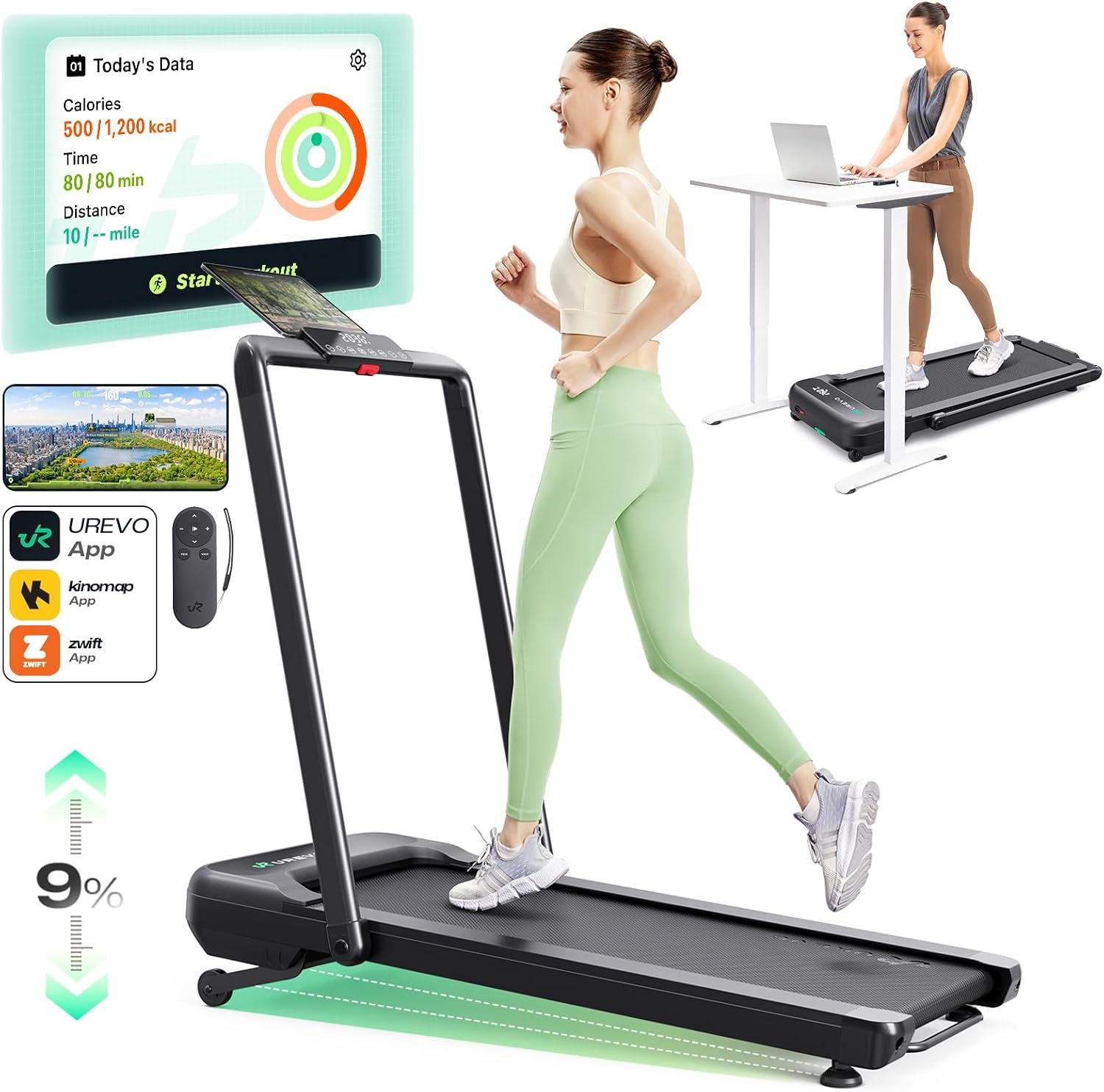
- Motor — 2.5 CHP
- Incline — Automatic 0–9%
- Speed — Walk: 0.6–4.0 MPH / Run: 0.6–7.6 MPH
- Weight Capacity — 265 lbs
- Belt — 16.5″ × 42.5″
- Folded Height — 6.69″
- App — UREVO app
Best For: Users who want to walk at their desk and run in the evening on the same machine
The Urevo Strol 2S Pro is the only genuinely 2-in-1 machine on this list — it functions as a walking pad with the handlebar folded (capped at 4.0 MPH for desk use) and as a proper jogging treadmill with the handlebar raised, reaching 7.6 MPH. Most walking pads force you to choose between desk utility and running capability. The Strol 2S Pro doesn’t make you choose.
The 9% automatic incline is controlled via remote and the reinforced frame structure specifically prevents the wobble that affects less stable 2-in-1 designs at incline. The 16.5″ × 42.5″ running surface is generous enough for a natural running stride, which matters when you’re actually jogging. UREVO app connectivity adds virtual routes and challenge modes. For users who want one machine that covers both use cases without compromise, this earns its place.
The 265 lb capacity is on the lower end for a 2-in-1, and the machine resets to base speed after pausing — a minor but genuine inconvenience during workday use. The handlebar does not fold completely flat, so the stored profile is taller than a pure walking pad.
Pros
- Genuine walk-and-run versatility on one machine
- 7.6 MPH running speed is competitive
- Stable reinforced frame at incline — no wobble
- Bright, easy-to-read display
- One-step folding mechanism
Cons
- Resets to base speed after pausing
- 265 lb capacity is on the lower end for a 2-in-1
- Handlebar does not fold fully flat
5. Hccsport Walking Pad with Removable Desk — Best for Maximum Productivity
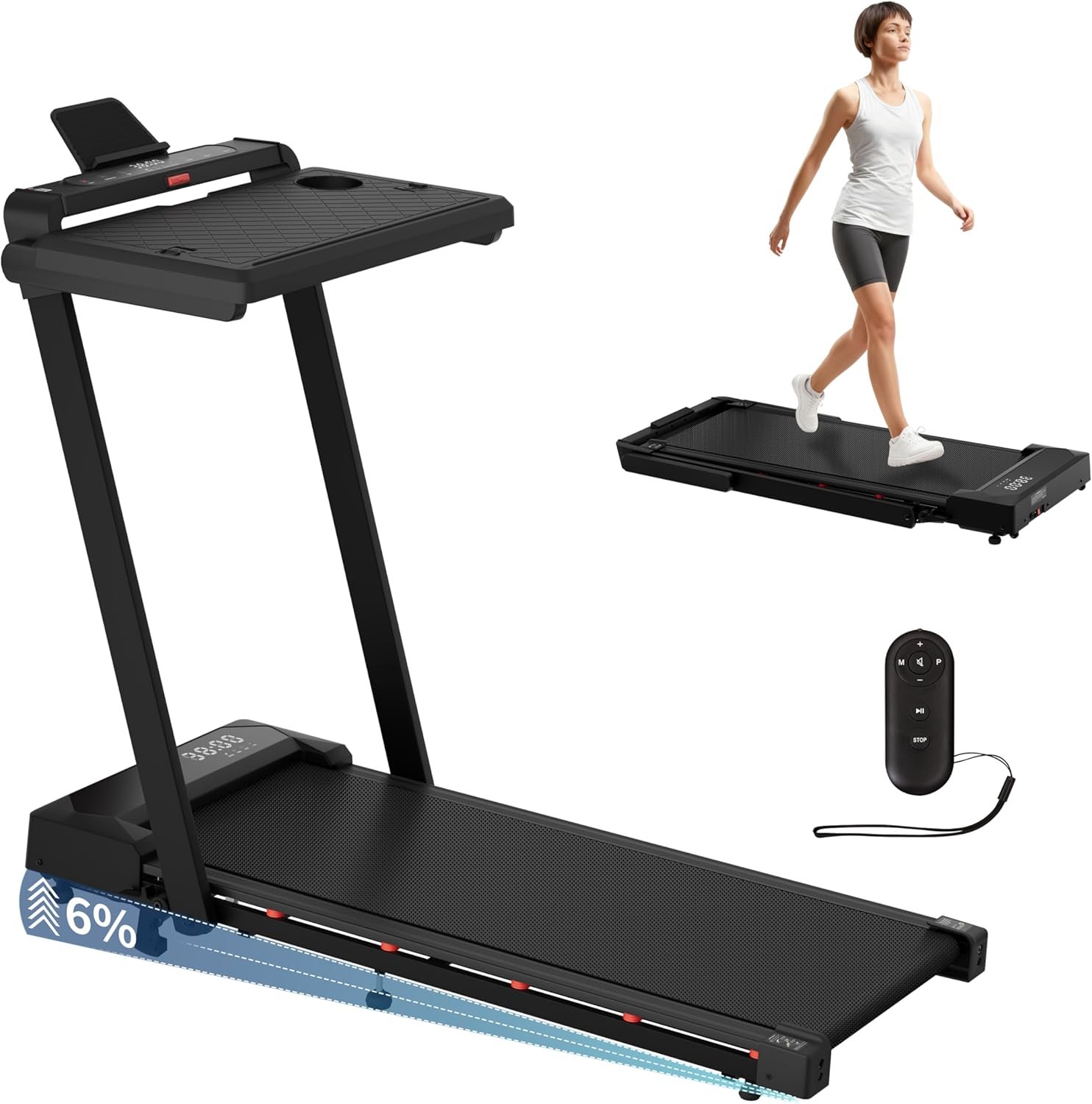
- Motor — 3.5 CHP
- Incline — Manual, up to 9%
- Speed — 0.6–8 MPH
- Weight Capacity — 300 lbs
- Programs — 12 built-in HIIT programmes
- Desk — Removable, holds laptop + notebook
- Remote — Wristband remote control
Best For: Users who don’t own a standing desk and want everything in one unit
The Hccsport solves a problem the other six machines on this list don’t — it includes a removable desk workstation so you don’t need a separate standing desk to use it productively. The desk holds a laptop and notebook securely and detaches when you want to use the machine purely for exercise. It’s genuinely the most self-contained setup on the list.
The 3.5 CHP motor is the most powerful here and the 8 MPH top speed makes it the fastest machine on this list — capable of actual running, not just jogging. The manual 9% incline requires you to stop and adjust, which is the meaningful trade-off versus automatic incline models. The 300 lb capacity and 12 built-in HIIT programmes add genuine training flexibility. The wristband remote is a nice quality-of-life feature that lets you adjust speed hands-free.
The desk is not recommended for heavy dual-monitor setups and the walking deck is slightly shorter than average. If you already own a standing desk, the other models on this list likely offer better value. If you don’t, the Hccsport is the most complete single-purchase solution available.
Pros
- Most powerful motor on this list at 3.5 CHP
- Fastest top speed at 8 MPH — actual running capability
- Built-in desk — no standing desk required
- Wristband remote for hands-free speed control
- 12 HIIT programmes built in
Cons
- Manual incline — must stop to adjust grade
- Desk not suited for dual-monitor setups
- Shorter deck limits taller users
6. Egofit Walker Pro M1 — Best for Small Spaces
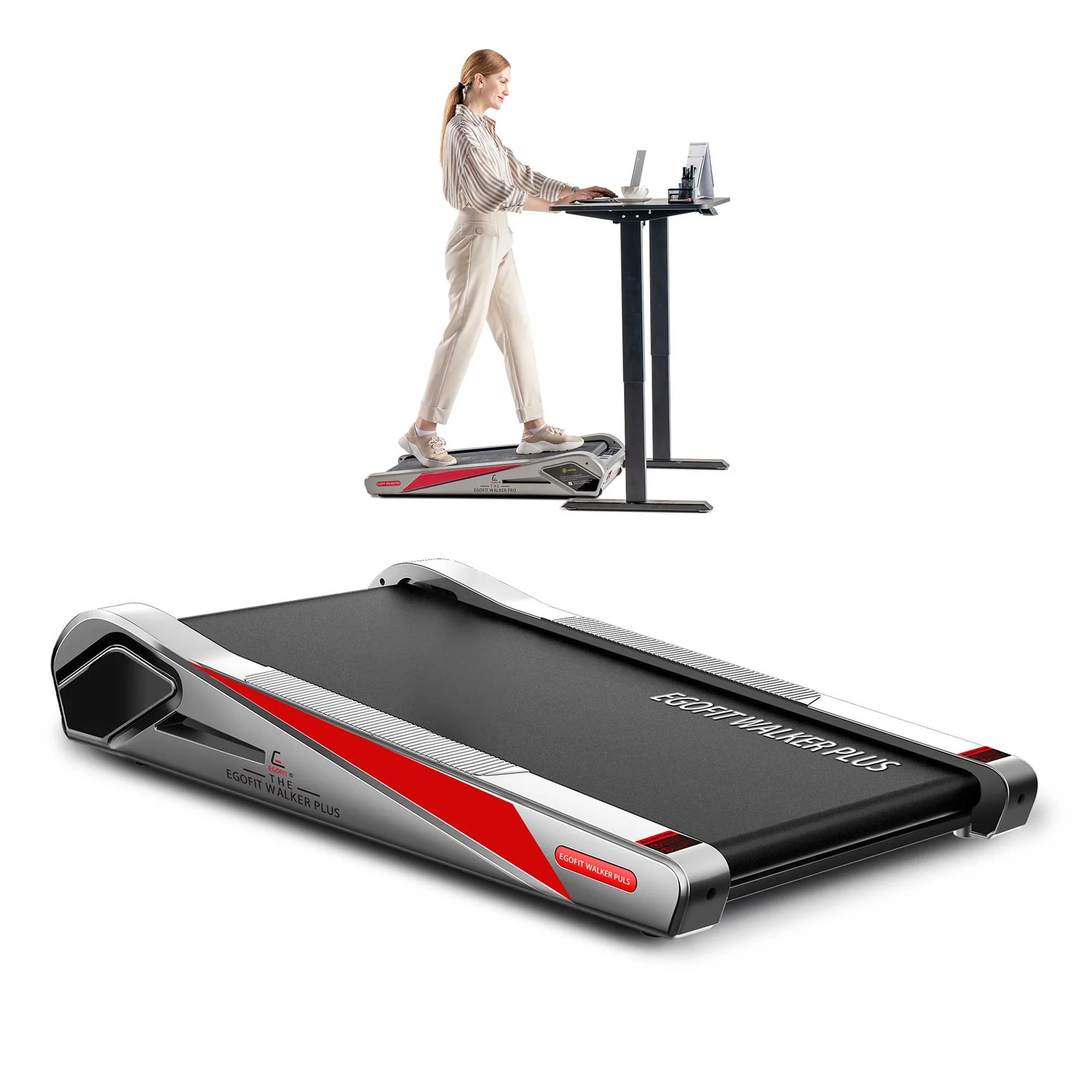
- Incline — Fixed 5% (permanent, not adjustable)
- Speed — 0.6–3.1 MPH
- Weight Capacity — 220 lbs
- Belt Length — 34.25″
- Machine Length — 38.39″
- Setup — Fully assembled out of box
Best For: Users with very tight floor space who want a permanent incline without complexity
The Egofit Walker Pro M1 has a fixed 5% incline — it doesn’t sit flat, and it can’t be adjusted. That’s either a strength or a limitation depending entirely on what you need. If you want a slight but consistent uphill grade during desk sessions without ever touching a setting or remote, the M1 delivers that in the most compact under-desk form factor available.
At 38.39 inches long and arriving fully assembled, it occupies less than 6 square feet of floor space and can be tucked under a sofa or bed after use. The motor is quiet enough that users report colleagues on video calls cannot detect it. With a 220 lb capacity, it’s best suited to lighter users. The 34.25″ belt is genuinely short — users above 5’10″ will find the stride length cramped.
The honest limitation is that you are always walking uphill at 5%. If you want to vary intensity, change incline, or use the machine for recovery walks at flat grade, this is not the right pick. For users who accept that trade-off in exchange for the smallest possible footprint, it’s a well-built, purpose-built machine.
Pros
- Most compact footprint on this list
- Arrives 100% pre-assembled — unbox and walk
- Extremely quiet — suitable for video calls
- Portable with built-in wheels
Cons
- Fixed 5% incline — no flat walking option
- Short 34.25″ belt not suited to users over 5’10″
- 220 lb capacity is the lowest on this list
7. Maksone Wooden Walking Pad — Best for Office Aesthetics
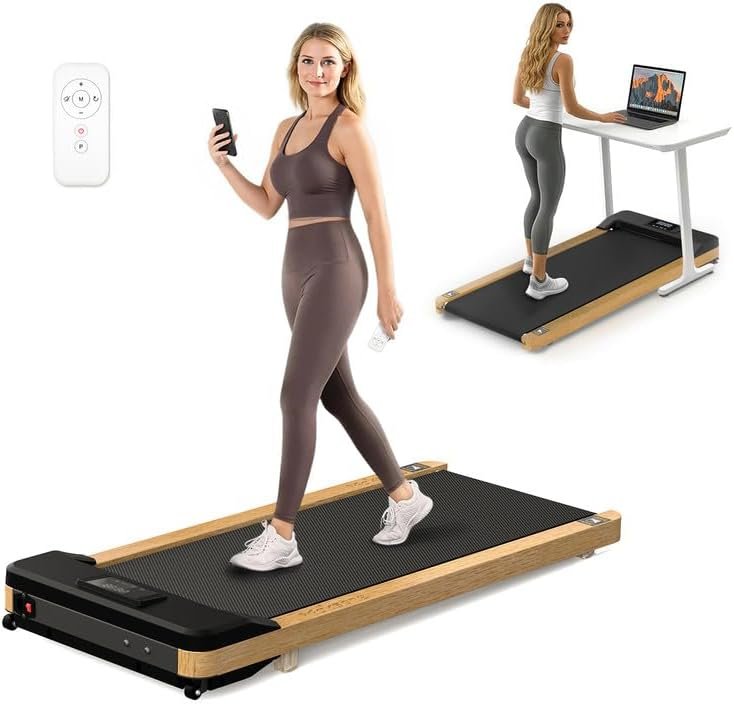
- Motor — 2.25 CHP
- Incline — Fixed slight grade (permanent)
- Speed — Up to 3.7 MPH (0.5–6 KMH)
- Weight Capacity — 265 lbs
- Belt — 16.54″ × 41.34″
- Frame — Real natural wood
- Sound — Beep mute function available
Best For: Users who want fitness equipment that blends with premium home office decor
The Maksone is the only walking pad on this list built with a real natural wood frame, and it genuinely looks like a piece of considered home office furniture rather than gym equipment. If aesthetics matter to you — and for many home office setups they absolutely do — no other machine here competes on that dimension.
The fixed slight incline means you’re always walking on a subtle uphill grade, which adds gentle calorie burn compared to a completely flat machine. The 2.25 CHP motor operates quietly, and users consistently note that motor noise is virtually undetectable. The 16.54″ × 41.34″ belt is a comfortable walking surface for most users. Critically, beeping sounds can be muted via the remote — a genuinely rare feature that matters enormously in office environments.
The speed caps at 3.7 MPH and the incline cannot be adjusted — these are non-starters for anyone wanting workout variety. The 265 lb capacity is adequate for most users but not for heavier walkers. This is a machine you buy when the visual integration with your space matters as much as the performance spec.
Pros
- Real wood frame — integrates with premium office decor
- Virtually silent motor operation
- Beeping can be muted — rare and genuinely useful
- Compact and easy to move at ~55 lbs
Cons
- Fixed incline — no adjustment possible
- 3.7 MPH cap — strictly for walking
- Cannot adjust speed while using preset programmes
Buyer’s Guide: What to Consider Before You Buy
Incline walking pads vary more than most buyers realise. These are the four factors that determine whether you actually use the machine six months after purchase.
Automatic vs. Manual Incline — It Matters More Than You Think
Automatic incline (DeerRun Z10, Urevo CyberPad, Trailviber, Urevo Strol 2S Pro) lets you change the grade via remote while walking. Manual incline (Hccsport) requires stopping to adjust physical settings. In a workday context — where you’re mid-meeting or focused on a task — having to stop and bend down to adjust incline is a genuine barrier. If varying your intensity throughout the day matters to you, automatic incline is worth prioritising. You can also compare the incline walking experience to other desk fitness options in our best under-desk ellipticals guide.
Belt Length and Your Height
If you are over 5’10″, aim for a belt length of at least 40 inches. The Egofit M1 (34.25″) and DeerRun Z10 (35.43″) are noticeably short for taller users. The Urevo Strol 2S Pro (42.5″), Hccsport (42.5″), and Maksone (41.34″) are the more accommodating options for taller walkers. This is a spec that’s easy to overlook and difficult to live with after purchase.
Noise in a Working Environment
Most under-desk models here operate quietly enough for video calls at walking pace. The Urevo CyberPad (under 35 dB) and Egofit M1 are the quietest. Beep sounds on speed changes and incline adjustments are a separate issue from motor noise — the Maksone is one of the few models that lets you mute them, which matters significantly in open-plan or shared home environments.
Weight Capacity — Build in a Buffer
Always build in a 20–30 lb buffer below the stated capacity for daily use. Machines operating near their limit run louder, wear faster, and feel less stable. The Urevo CyberPad (242 lbs) and Egofit M1 (220 lbs) have the tightest capacity limits on this list — both are appropriate for lighter users only. The Trailviber (450 lbs) is the only machine here that provides genuine comfort headroom for users above 300 lbs. For a broader look at the best 300 lb capacity under-desk treadmills, that guide covers additional options. According to ACSM physical activity guidelines, choosing equipment that safely accommodates your body weight is a fundamental requirement for sustainable daily exercise.
Which Under-Desk Incline Treadmill Should You Choose?
Best Overall — DeerRun Z10: Most users who want automatic incline for desk walking. Balanced specs, smart app, 300 lb capacity.
Steepest Incline — Urevo CyberPad: Users under 242 lbs who want the highest incline intensity available in this category.
Heavy Users — Trailviber: Anyone over 300 lbs who needs genuine structural confidence alongside incline capability.
Walk and Run — Urevo Strol 2S Pro: Users who want one machine for desk walking and evening running, without buying two separate units.
No Standing Desk — Hccsport: Most self-contained setup with the most powerful motor. Buy this if you’re starting from scratch.
Smallest Space — Egofit M1: Under 220 lbs with very tight floor space and no need to vary incline.
Aesthetics First — Maksone Wooden: Premium home office environments where the machine needs to look as good as it performs.
Frequently Asked Questions
Are under-desk treadmills with incline worth it?
Yes — incline adds meaningful workout intensity without requiring you to increase speed. Even a 5–8% grade significantly increases calorie burn, engages your posterior chain more actively, and makes extended desk walking sessions more effective. For users who spend hours at a standing desk, automatic incline is one of the most practical upgrades available in this category.
What is the maximum incline on an under-desk treadmill?
The Urevo CyberPad currently offers the highest automatic incline in the under-desk category at 14%. Most other models range from 9% to 12%. Fixed-incline models like the Egofit M1 sit at a permanent 5% grade. Anything above 10% starts to feel genuinely demanding at desk-walking speeds and requires good ankle flexibility and balance.
Can you actually work at a computer while using an incline walking pad?
Yes, at 1–2.5 MPH on a gentle incline of 3–6%. Above that, maintaining posture and fine motor control for typing becomes harder. Most users find that email, calls, and light reading work well during incline walking. Detailed spreadsheet work or design tasks are better suited to flat walking or taking a standing break.
What is the difference between automatic and manual incline on a walking pad?
Automatic incline adjusts the grade via remote control or app while you walk — no stopping required. Manual incline requires you to stop, step off, and physically adjust a lever or setting before continuing. For desk use during a workday, automatic incline is significantly more practical. Manual incline models are typically less expensive.
Which under-desk treadmill with incline is best for heavy users?
The Trailviber Walking Pad with its 450 lb capacity is the strongest option for heavier users. Always build in a 20–30 lb buffer below the stated maximum — so the Trailviber is appropriate for users up to around 420 lbs for daily use. Most other models on this list cap between 220 and 300 lbs, which limits daily-use headroom for heavier walkers.
Do I need a standing desk to use an under-desk treadmill with incline?
For most models, yes — you need a sit-stand desk at the correct height to walk comfortably while working. The exception on this list is the Hccsport, which includes a removable desk workstation so you can walk and work without any additional furniture. For the other six models, a desk height of 38–46 inches (adjustable) is typically recommended.
Affiliate disclosure: myactivetribe.com earns from qualifying purchases. This does not affect our recommendations — products are selected based on verified specs, user feedback, and hands-on assessment only.